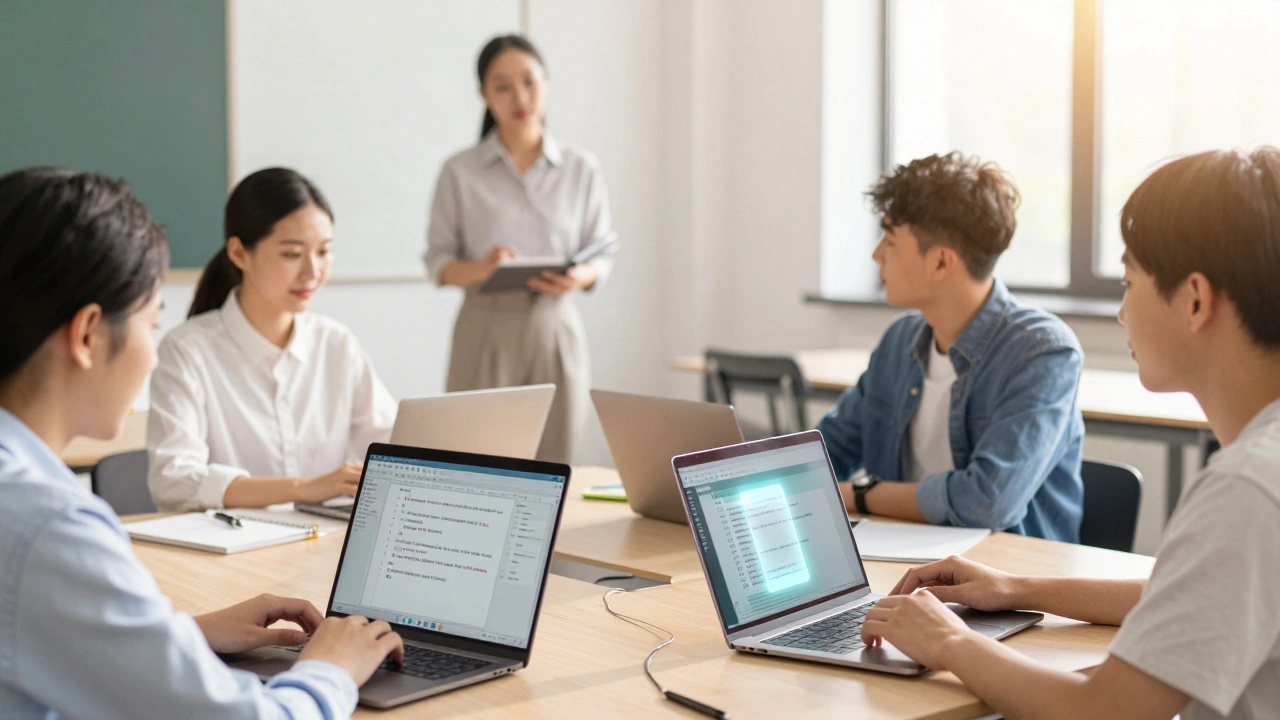
Imagine your students aren't just writing essays that get graded and forgotten. Imagine their work stays online, gets read by thousands, and actually helps the world understand a topic better. That is the promise of the Wikipedia Education Program, which integrates Wikipedia editing into academic coursework to teach research, citation, and digital literacy. It sounds risky at first-letting students edit a public website? But when done right, it transforms how they think about authority, sources, and their own voice.
I’ve seen this shift happen in classrooms across the US. Students who usually struggle with MLA formatting suddenly care deeply about neutral point of view because they know real people are watching their edits. They stop treating citations as busywork and start seeing them as the backbone of trust. This guide walks you through exactly how to set up this project, avoid common pitfalls, and get genuine learning outcomes.
Why Integrate Wikipedia Into Coursework?
Most university assignments suffer from the "black hole" effect. You write a paper, the professor reads it, gives you a B+, and then both of you forget it exists. With a Wikipedia assignment, the stakes feel different. The audience isn’t just one person; it’s anyone on the internet. This changes the dynamic completely.
Here is what actually happens when you introduce Wikipedia editing as a pedagogical tool for teaching information literacy and collaborative writing.:
- Critical Reading Skills: Students have to read existing articles critically. They spot bias, missing context, or poor sourcing. They learn to distinguish between a reliable source and a random blog post.
- Digital Citizenship: They join a global community. They learn how to talk to strangers online respectfully, handle disagreement without getting emotional, and follow strict community guidelines. \n
- Writing for Clarity: Wikipedia demands plain language. No fluff, no jargon unless defined. Students learn to cut the fat and say what they mean clearly.
It also bridges the gap between academia and the public. Scholars often complain that their research sits behind paywalls. When students summarize that research for Wikipedia, they help democratize knowledge. A study by the Wikimedia Foundation showed that students in these programs significantly improved their ability to evaluate source credibility compared to control groups.
Setting Up the Infrastructure: The WikiEdu Dashboard
You don’t need to be a tech wizard to run this program. In fact, trying to manage it manually via email will burn you out fast. The secret weapon is the WikiEdu Dashboard, a free platform provided by the Wikimedia Foundation to help instructors track student progress, monitor edits, and communicate within the Wikipedia ecosystem.
Think of the Dashboard as your classroom management system, but specifically built for Wikipedia. Here is why you need it:
- Centralized Communication: All announcements, discussions, and feedback happen inside the dashboard. Students don’t need to check three different places (email, LMS, Wikipedia talk pages).
- Real-Time Monitoring: You can see every edit a student makes instantly. If someone starts adding unsourced claims, you catch it before it becomes a problem on the live article.
- Automated Reporting: At the end of the term, you get a report showing word counts, number of references added, and pages created. This makes grading transparent and objective.
To get started, you simply create an account on the Dashboard, create a new campaign for your class, and invite students to join. The interface is intuitive, but there is a learning curve. I recommend spending the first week just having students navigate the dashboard and make test edits on their user sandbox pages. Do not let them touch main namespace articles until they are comfortable.
Choosing the Right Topics
The biggest mistake instructors make is letting students pick any topic they want. While freedom is good, it leads to chaos. One student picks "My Favorite Band," another picks "Quantum Physics." The former might violate notability guidelines; the latter might be too complex for a semester project.
You need to curate topics that align with your course content while meeting Wikipedia’s standards. Here is a framework for selecting topics:
| Criterion | Why It Matters | Example |
|---|---|---|
| Notability | The subject must have significant coverage in independent, reliable sources. Wikipedia is not a directory of everything. | A local historical figure with newspaper archives vs. a current celebrity with only fan sites. |
| GAP Analysis | Look for topics that are underrepresented. Wikipedia has a gender gap and geographic bias. Filling these gaps is high-impact work. | Women scientists in the 19th century, indigenous history in specific regions. |
| Source Availability | Students need access to peer-reviewed journals, books, or reputable news outlets. If sources are hard to find, the project stalls. | University library databases should support the topic. |
| Scope | The topic should be narrow enough to cover thoroughly in a semester but broad enough to warrant an article. | "The impact of social media on teen mental health" is too broad. "Social media usage patterns among college freshmen in 2025" is manageable. |
I often use the "Gap Finder" tool available through the WikiEdu Dashboard. It suggests articles related to your course theme that are short, poorly sourced, or non-existent. This saves hours of brainstorming and ensures every student has a viable path forward.
Teaching the Rules: Neutral Point of View and Verifiability
This is the hardest part. Students are used to arguing a thesis. They want to persuade. Wikipedia does not allow persuasion. It requires neutrality. You have to unteach the standard essay structure.
Start by explaining the core policies. Use simple analogies. Tell them Wikipedia is like a museum exhibit, not a courtroom debate. The goal is to present what reliable sources say, not what the writer thinks.
Neutral Point of View (NPOV) is the principle that articles must represent all significant views fairly, proportionally, and without editorializing. Show them examples of biased language. "John Smith was a brilliant leader" is bad. "John Smith was described as a brilliant leader by his supporters" is good. Have them rewrite sentences from existing articles to practice this skill.
Next, tackle verifiability. Every claim needs a citation. Not "I read this in class," but a link to a published source. Teach them how to use citation templates. It looks messy at first, but it’s essential. If a sentence doesn’t have a tag, it might get deleted by a bot or another editor. Students need to understand that Wikipedia is ruthless about unsourced material.
Run a workshop where you give them a paragraph full of errors-bias, no citations, original research-and have them fix it in pairs. Make it a game. The team that fixes the most issues correctly wins. This builds muscle memory for the rules.
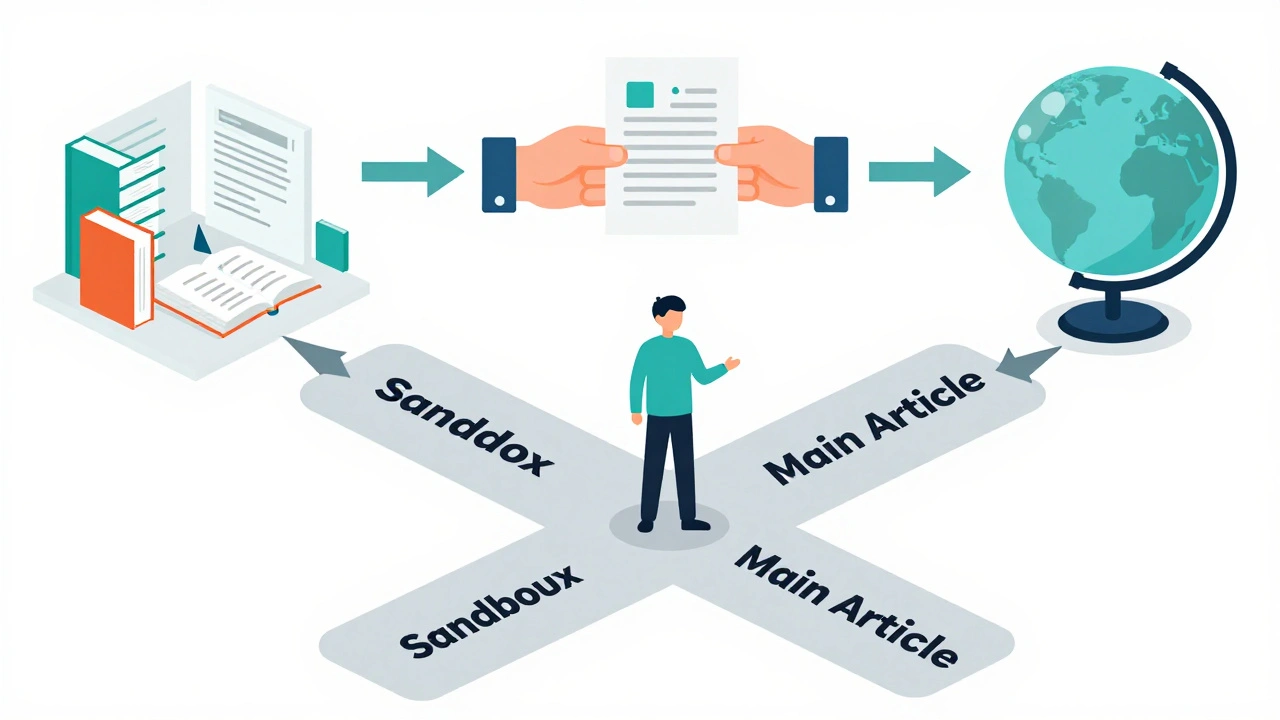
The Workflow: From Sandbox to Main Article
Don’t let students jump straight into editing live articles. They will panic, make mistakes, and feel overwhelmed. Structure the workflow in stages.
- Research Phase (Weeks 1-3): Students gather sources. They submit an annotated bibliography to you via the Dashboard. You approve or reject sources based on reliability. This prevents them from building an article on shaky ground.
- Sandbox Drafting (Weeks 4-6): Students write their entire article in their personal sandbox. This is a private space on Wikipedia. They can experiment with formatting, add citations, and structure headings without fear of deletion. You review drafts here and give feedback.
- Peer Review (Week 7): Swap sandboxes. Students critique each other’s work using a checklist: Are there citations? Is the tone neutral? Is the lead section clear? Peer feedback is often more helpful than instructor feedback because it mimics the real Wikipedia environment.
- Moving to Main Space (Week 8): Once approved, students move their draft to the main namespace. This is a big moment. Celebrate it. But remind them the work isn’t done. Other editors will come along and change things.
Emphasize that moving to main space is not the finish line. It’s the start of collaboration. They need to monitor the talk page of their article. If someone reverts their changes, they need to explain why they made those changes politely and with sources. This is where the real learning happens.
Handling Pushback and Deletion
Yes, sometimes articles get deleted. Yes, sometimes experienced editors revert student work aggressively. This is inevitable. How you frame this determines whether the class succeeds or fails.
Tell students upfront: Wikipedia is a meritocracy of sources, not credentials. It doesn’t matter if you are a student or a professor. If your claim isn’t backed by a reliable source, it goes. This can be frustrating, but it’s a powerful lesson in intellectual humility.
If an article is nominated for deletion, don’t hide it. Bring it to class. Analyze the discussion. Why did other editors vote to delete? Was it lack of notability? Lack of sources? Use it as a case study. Sometimes, you can save the article by improving it. Sometimes, you have to accept that the topic isn’t ready for Wikipedia yet. Both outcomes are valuable lessons.
Also, prepare for emotional reactions. Students take pride in their work. When someone deletes a paragraph they spent hours on, they feel attacked. Teach them to detach their ego from the text. The goal is the article, not their name on it. Remind them that Wikipedia is collaborative. Their contribution is part of a larger whole.
Grading and Assessment
Grading Wikipedia projects shouldn’t be subjective. Don’t grade on "effort" or "creativity." Grade on adherence to Wikipedia standards and the quality of research.
Use the WikiEdu Dashboard reports as a baseline. Did they meet the word count? Did they add a certain number of unique references? Then, do a qualitative review.
Here is a sample rubric:
- Source Quality (40%): Are sources peer-reviewed, reputable news, or authoritative books? Avoid blogs, press releases, and self-published material.
- Neutrality and Tone (30%): Is the language encyclopedic? No promotional language, no first-person pronouns.
- Formatting and Citations (20%): Are citations correctly formatted? Is the article structured with proper headings?
- Engagement and Collaboration (10%): Did the student respond to feedback? Did they participate in talk page discussions?
This rubric makes grading fair and transparent. Students know exactly what is expected. It also aligns with the goals of the program: teaching research and writing skills, not just creating content.
Long-Term Impact on Students
The benefits extend beyond the grade. Students who complete a Wikipedia education program leave with a stronger portfolio. They can point to a live article as proof of their research and writing abilities. Employers value digital literacy and the ability to collaborate in online environments.
More importantly, they become better consumers of information. After wrestling with Wikipedia’s sourcing requirements, they look at any online article differently. They ask: Who wrote this? What are their sources? Is this biased? These are critical skills in an age of misinformation.
For educators, the reward is seeing students engage with material in a way that feels meaningful. They aren’t just checking a box. They are contributing to human knowledge. That sense of purpose drives deeper learning and lasting retention.
Do I need to be a Wikipedia expert to teach this?
No, you don’t need to be an expert. The WikiEdu Dashboard provides training modules for instructors. There is also a global network of Wikipedia ambassadors who can volunteer to visit your class or provide remote support. Start small, maybe with one pilot class, and build your confidence over time.
Can students create new articles or only edit existing ones?
Both. Creating new articles is more challenging because the topic must meet strict notability guidelines. Editing existing articles is often easier for beginners because the structure is already there. I recommend starting with expansion tasks (adding sections to existing articles) before attempting full creation.
What if a student plagiarizes?
Plagiarism is taken seriously on Wikipedia. Use plagiarism detection tools during the sandbox phase. Teach students early that copying text from sources without synthesis is a violation. Wikipedia’s software automatically flags copied text, so students will be caught quickly. Frame this as a learning opportunity about paraphrasing and attribution.
Is this suitable for K-12 students?
Yes, but with modifications. Younger students may struggle with the complexity of citation formats and the abstract concept of neutrality. Focus on basic research skills and editing simple facts. High school students can handle full articles, but middle schoolers might benefit more from contributing to lists or adding images with proper licenses.
How much time does this add to my workload?
Initially, setting up the dashboard and learning the policies takes about 10-15 hours. During the semester, monitoring edits and reviewing drafts takes similar time to traditional essay grading. However, the automated reports reduce administrative burden. Many instructors find the engagement level worth the extra initial investment.