You’ve spent weeks building a tool that pulls data from Wikipedia is the largest free online encyclopedia in history.. Maybe it’s a dashboard that tracks edit wars, or a script that formats citations automatically. You test it locally, and it works perfectly. But when you try to connect it to the live API using your personal account credentials, something feels wrong. It’s like handing over your house keys to a stranger just because they promised to water your plants.
This is where OAuth is an open standard for access delegation, commonly used as a way for Internet users to grant websites or applications access to their information on another website without giving them the passwords. comes into play. For developers working with MediaWiki-the software powering Wikipedia-OAuth isn’t just a security feature; it’s the only sustainable way to build tools that respect user privacy and platform integrity. If you are building a bot, a gadget, or an external app that interacts with Wikipedia, understanding how OAuth and permissions work is non-negotiable.
Why Passwords Are Dead on Wikimedia
In the early days of web development, passing raw usernames and passwords through scripts was common practice. Today, that approach is a massive liability. If your code leaks, your entire Wikipedia account is compromised. Worse, if you use the same password elsewhere, the damage spreads. The Wikimedia Foundation deprecated basic authentication for most API actions years ago precisely because it doesn’t scale securely.
OAuth solves this by introducing a middleman. Instead of your application knowing your password, it holds a token-a digital key-that grants specific permissions. If that token is stolen, the attacker can only do what the token allows, and you can revoke it instantly without changing your main password. This separation of concerns is critical for any serious developer working with public data infrastructure.
- No shared secrets: Your app never sees your actual password.
- Granular control: Users decide exactly what the app can do.
- Easy revocation: Kill the access without resetting your account credentials.
The Core Components of MediaWiki OAuth
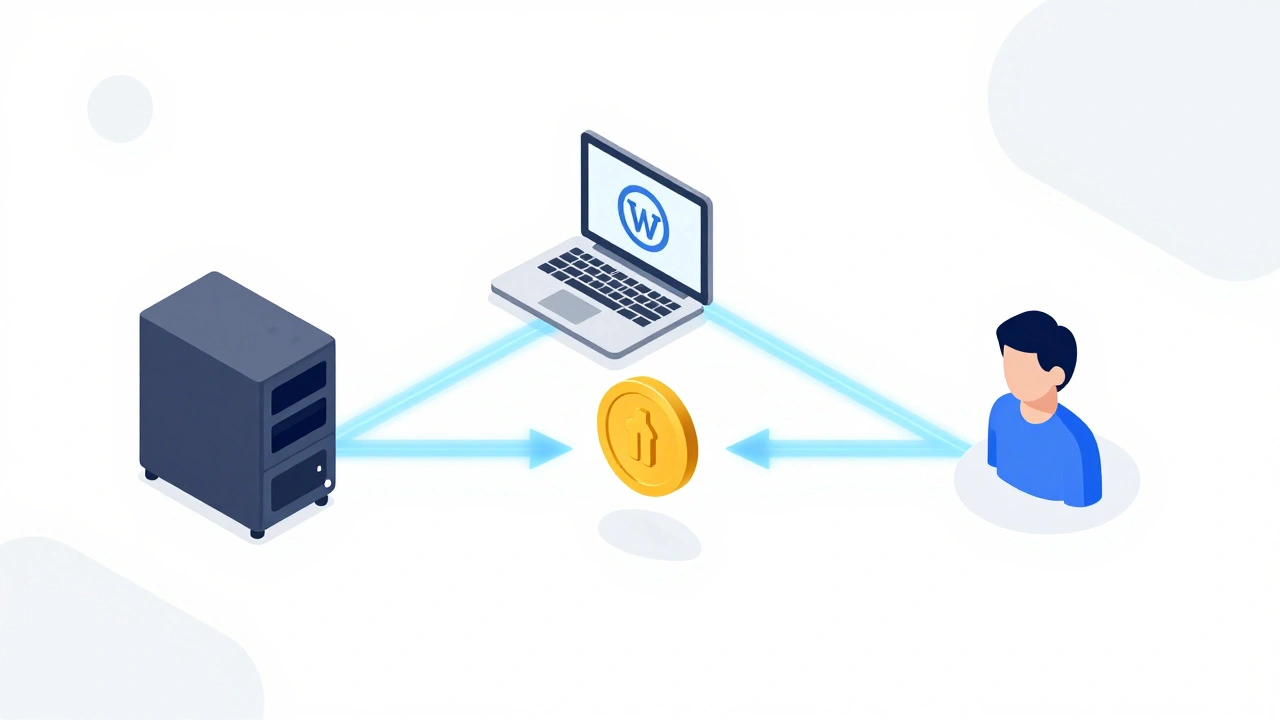
To implement OAuth correctly, you need to understand the three main players in the dance. Think of it as a handshake between three parties, not two. Getting these relationships wrong is the most common reason why OAuth implementations fail during testing.
| Entity | Role | Example |
|---|---|---|
| Service Provider (SP) | The server hosting the wiki (e.g., en.wikipedia.org) | Wikimedia Foundation servers |
| Consumer | Your application requesting access | A Python script, a browser extension, or a mobile app |
| User | The person granting permission | You, or any editor using your tool |
The Consumer Key is a unique identifier assigned to your application by the Service Provider. acts as your app’s ID card. You register your app on meta.wikimedia.org to get this key along with a secret. When a user clicks "Connect" in your tool, your app sends its Consumer Key to Wikipedia. Wikipedia then asks the user: "Do you trust this app?" If they say yes, Wikipedia issues an access token. Your app uses that token to make API calls on behalf of the user.
Registering Your Application
Before writing a single line of code, you must register your consumer. This process happens on Meta-Wiki, the central hub for Wikimedia projects. Navigate to the Special:OAuthConsumerRegistration page on any major wiki, such as English Wikipedia. Here, you’ll define what your app does and where it lives.
Be honest about your app’s purpose. The Wikimedia community is vigilant about spam and abuse. If you claim your tool is for "educational research" but it turns out to be a mass-editing bot, your keys will be revoked, and your IP might get blocked. Provide a clear description, a valid callback URL (where Wikipedia redirects after authorization), and contact information.
Once registered, you receive your Consumer Secret is a private string used to sign requests, ensuring that the message hasn't been tampered with.. Treat this like a password. Never commit it to GitHub. Store it in environment variables or a secure vault. Losing this secret means you have to re-register your app and ask all your users to re-authorize it.
Understanding Permission Scopes
Not all tokens are created equal. When you request access, you specify scopes-permissions that define what your app can do. Asking for too much raises red flags; asking for too little breaks functionality. This balance is crucial for user trust.
Common scopes include:
read: Allows viewing pages and metadata. Essential for most data-pulling tools.edit: Permits modifying page content. Required for bots that fix typos or update templates.writeapi: Grants access to API endpoints that change state, even if they don’t directly edit text.bot: Identifies the user agent as a bot, which affects rate limits and visibility in recent changes.
If your tool only reads data, never request write permissions. Users are increasingly savvy about privacy. If they see a request to "Edit my pages" for a simple citation checker, they will likely deny access. Stick to the principle of least privilege: ask for only what you strictly need.
Implementing the Authorization Flow
The technical flow involves four steps. While libraries like requests-oauthlib is a Python library that simplifies OAuth 1.0a and 2.0 workflows. or mwclient is a Python library specifically designed for interacting with the MediaWiki API. handle the heavy lifting, understanding the sequence helps when things go wrong.
- Request Token: Your app contacts Wikipedia’s OAuth endpoint, sending its Consumer Key and Secret. Wikipedia responds with a temporary Request Token.
- User Authorization: Redirect the user to Wikipedia’s login/authorization page, passing the Request Token. The user logs in and approves the scopes.
- Access Token: Wikipedia redirects back to your callback URL with a verifier. Your app exchanges the Request Token + Verifier for a permanent Access Token and Secret.
- API Calls: Use the Access Token to sign subsequent API requests. Each request includes the token signature to prove authenticity.
Step 3 is where many developers stumble. The verifier is short-lived. If your server takes too long to process the redirect, the exchange fails. Ensure your callback endpoint is responsive and handles errors gracefully.

Bot Accounts vs. User-OAuth
A frequent point of confusion is whether to use OAuth or a dedicated bot account. For automated tasks that run under your sole control, a bot account with API tokens is often simpler. You generate a token via Special:BotPasswords, which provides scoped access without the full OAuth dance.
However, if your tool is meant for other users to employ-like a Chrome extension that helps editors format references-you must use OAuth. Bot passwords are tied to a single user. OAuth delegates authority dynamically. Choosing the right mechanism depends on who owns the action. Is it your robot doing chores, or your users empowering themselves?
Handling Errors and Rate Limits
Even with perfect implementation, errors happen. Wikipedia’s API enforces rate limits to prevent server overload. A well-behaved client respects these limits. When you hit a limit, the API returns a 429 status code. Don’t retry immediately. Implement exponential backoff: wait one second, then two, then four, until the limit resets.
Authentication errors usually stem from mismatched signatures. Double-check that your clock is synchronized with NTP servers. OAuth 1.0a relies heavily on timestamps. If your server time drifts by more than a few minutes, Wikipedia rejects the request as potentially replayed. Keep your system time accurate.
Best Practices for Long-Term Maintenance
Building the tool is half the battle; maintaining it is the rest. Permissions evolve. Scopes get deprecated. New security requirements emerge. Stay engaged with the Wikimedia Developer mailing lists and Tech News. Subscribe to updates on the API documentation portal.
Regularly audit your active consumers. If you have an old project sitting dormant, revoke its keys. Unused tokens are attack vectors waiting to happen. Document your OAuth setup clearly so that future maintainers-or yourself in six months-can troubleshoot without reverse-engineering the logic.
Finally, respect the community. Your tool exists within a volunteer-driven ecosystem. Design it to enhance collaboration, not disrupt it. Follow the Manual of Style, avoid aggressive editing patterns, and provide clear attribution. Security isn’t just about cryptography; it’s about trust.
Do I need OAuth to read Wikipedia articles?
No. Reading public content does not require authentication. You can query the API anonymously for basic data. However, if you need high-volume access or want to identify your app properly, registering a consumer is recommended.
What is the difference between OAuth 1.0a and 2.0 on Wikipedia?
MediaWiki primarily supports OAuth 1.0a for third-party applications due to its mature stability and widespread library support. OAuth 2.0 is being explored for newer services but is not yet the standard for general API access.
Can I use OAuth for anonymous edits?
No. OAuth requires a logged-in user to authorize the connection. Anonymous edits are handled differently and generally restricted to prevent vandalism. Always associate actions with a verified identity.
How do I revoke access for an app?
Log into your Wikipedia account, go to Special:OAuthListConsumers, find the app, and click "Revoke." This invalidates the access token immediately, preventing further actions by that application.
Is it safe to store the Consumer Secret in my code repository?
Absolutely not. Exposing your secret allows others to impersonate your app. Use environment variables, .env files (ignored by git), or secret management services to keep it protected.