When a news story breaks, it moves fast. Headlines change, sources get updated, and links die. But on Wikinews, stories don’t just vanish after the hype fades-they’re meant to last. That’s where archiving comes in. If you’ve ever clicked a link in a Wikinews article only to find a 404 error, you know the problem. Archiving isn’t just about saving pages. It’s about keeping the truth tied to its source.
Why archiving matters on Wikinews
Wikinews isn’t a blog. It’s a collaborative news site built on Wikipedia’s model, where every claim must be backed by a verifiable source. That’s the whole point. Without reliable source links, a news article becomes just another opinion. And once a source disappears-whether it’s a blog that shut down, a newspaper that went digital-only, or a government page that got restructured-the story loses its credibility.In 2023, a Wikinews report on a local election in Ohio was challenged because three of its five source links were dead. The article was flagged for review. That’s not rare. A 2024 audit of 500 archived Wikinews articles found that 37% of external links had broken within two years. That’s why archiving isn’t optional-it’s part of the editorial standard.
How Wikinews archives content
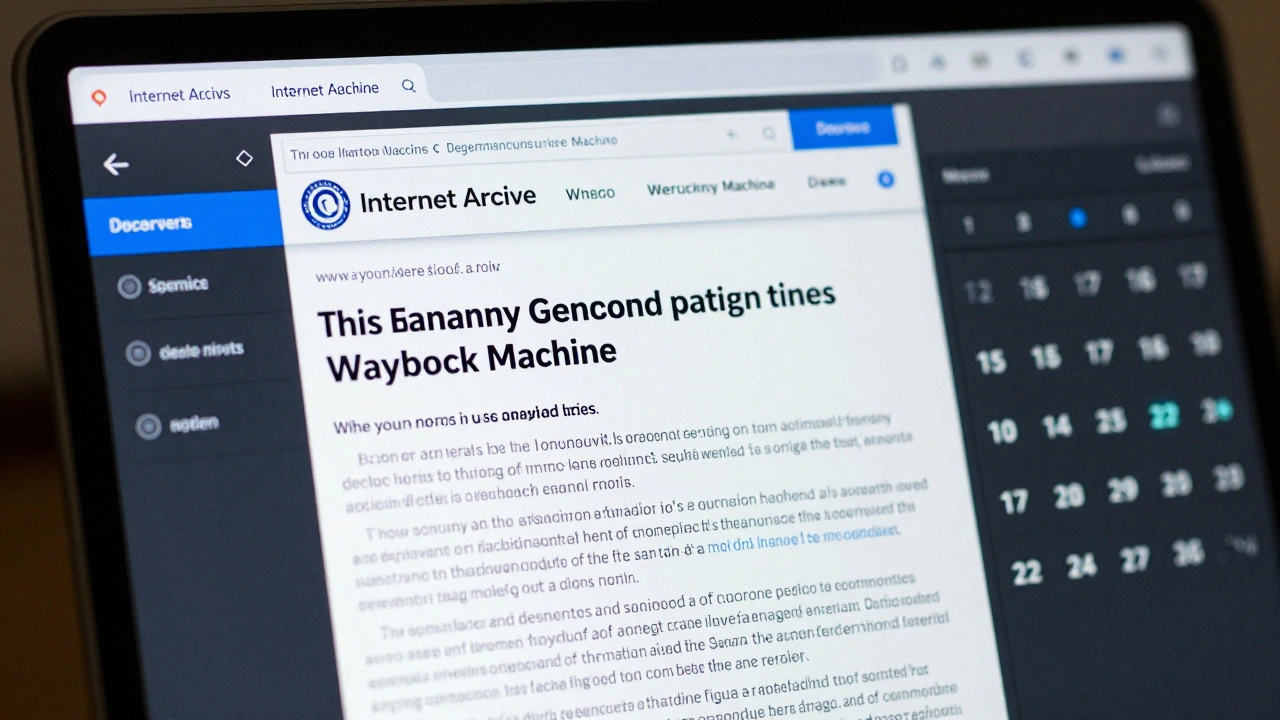
Wikinews doesn’t host copies of every article it cites. Instead, it uses trusted third-party archiving tools to preserve the exact state of a source at the moment it’s referenced. The most common tool is the Internet Archive’s Wayback Machine a free service that takes snapshots of web pages over time. When you archive a source, you’re not just saving a link-you’re saving a snapshot of what the page looked like when the article was written.Here’s how it works:
- You find a live source link in a Wikinews draft or published article.
- You visit the Wayback Machine a digital archive of the web maintained by the Internet Archive and paste the URL.
- The Wayback Machine scans the page and saves a snapshot if one doesn’t already exist.
- You copy the archived URL (it usually starts with https://web.archive.org/web/).
- You replace the original link in the Wikinews article with the archived version.
Some editors also use Archive.today a lightweight web archiving tool favored for its speed and simplicity for quick captures, especially when the Wayback Machine is slow or the page has heavy JavaScript. Archive.today creates a static copy that’s easy to view and doesn’t require login.
What to archive: sources, not just headlines
Not every link needs archiving. You only archive the sources that support specific claims. If an article says, “The mayor announced a new tax policy on January 12,” and cites a press release, that press release gets archived. If it says, “Experts say the policy is controversial,” and links to a general news site covering the topic, that’s a secondary reference-you don’t need to archive it unless it’s the only source.Here’s a simple rule: if the claim depends on the exact wording, date, or data on the page, archive it. If it’s just background context, leave it alone. This keeps the process efficient and focused.
For example, in a 2025 article about a federal court ruling, the original source was a PDF posted on the court’s website. The PDF was later moved to a new directory. Without an archive, readers would have seen a dead link. But because an editor archived the PDF using the Wayback Machine, the article still points to the exact version of the document as it existed on the day the story was published.
Common mistakes and how to avoid them
New editors often make three mistakes:- Archiving the wrong version of a page. Some sites have dynamic content-like live polls or weather widgets. These change constantly. Always archive the version that contains the actual information used in the article.
- Using short links. Don’t archive bit.ly or t.co links. They’re redirects. Go to the original URL before archiving.
- Forgetting to update the link in Wikinews. You can archive a page all you want, but if you don’t replace the original link in the article, it’s useless. Always double-check.
Another pitfall: assuming archives last forever. While the Internet Archive has been around since 1996 and has over 800 billion archived pages, it’s not infallible. Pages with heavy media, login walls, or robots.txt blocks can be missed. That’s why it’s smart to archive with both Wayback Machine and Archive.today when possible.
How to check if a link is already archived
Before you spend time archiving, check if it’s already been done. Go to https://web.archive.org and paste the URL. If you see a calendar with highlighted dates, the page has been saved. Click on one to view it. If the page looks like the version you’re citing, you’re good. If not, create a new snapshot.For Archive.today, just paste the URL into their homepage. It’ll tell you instantly if a copy exists. If it does, you can use that archived version in your Wikinews edit.

What to do when sources vanish without an archive
Sometimes, you’ll find a critical source that’s gone-and no archive exists. This is frustrating, but not hopeless. Here’s what to do:- Check Google Cache. Type
cache:before the URL in Google’s search bar. It won’t always work, but it sometimes holds older versions. - Search the Wayback Machine for variations. Try removing “www.”, changing http to https, or testing subdomains.
- Use the Library of Congress Web Archive a U.S. government project that preserves selected websites of public interest for government or institutional content. It’s more selective, but if the source is official, it might be there.
- Reach out to the source. If it’s a news outlet, university, or nonprofit, email them. Many will send you a PDF or screenshot if you explain you’re archiving for public record.
If all else fails, you can’t ethically keep the claim in the article. Remove it. Wikinews doesn’t publish speculation. It publishes verified facts.
Why this matters beyond Wikinews
Archiving on Wikinews isn’t just about fixing broken links. It’s about setting a standard for how news should be preserved. In an age where misinformation spreads faster than facts, having a public record of what was reported, when, and from where is a form of accountability.When journalists cite Wikinews articles, they’re relying on the integrity of those source links. When researchers study media coverage of events, they need to trace claims back to their origins. When students use Wikinews for school projects, they need to know the sources are still there.
By archiving, you’re not just editing a page-you’re helping preserve history.
Do I need to archive every link in a Wikinews article?
No. Only archive links that support specific claims-like quotes, statistics, or official statements. Background links, such as general news coverage or related reading, don’t need archiving unless they’re the only source for a key point.
Can I archive a page that requires login or payment?
If the content is behind a paywall or login, you can still archive it if you have access. Use your login session to view the page, then archive it. The archive will preserve what you saw. If you can’t access it, you can’t ethically cite it as a source. Wikinews requires public access to all cited material.
What if the archived version looks different from the original?
That’s normal. Archives sometimes miss images, stylesheets, or interactive elements. What matters is that the text, dates, and data match what was cited. If the core information is preserved, the archive is valid. Don’t worry about layout-focus on content.
Is there a limit to how many pages I can archive?
No. Both the Wayback Machine and Archive.today allow unlimited archiving for public use. You don’t need an account. Just make sure you’re not overwhelming servers by archiving hundreds of pages in minutes. Space it out.
Can I archive a Twitter/X post or social media thread?
Yes, but it’s tricky. Social media posts change or disappear quickly. Use Archive.today-it handles tweets better than the Wayback Machine. Copy the full URL of the tweet, paste it into Archive.today, and save the snapshot. Include the date and time in your note so readers know when it was archived.