You’ve spent hours researching, citing sources, and polishing your prose. You hit "Save," and for a moment, you feel like a published author. But then you notice the template at the top of the talk page: Peer Review. It’s not a grade from a teacher; it’s an invitation for fellow editors to tear your work apart-constructively, hopefully. Understanding how to request and respond to a Wikipedia Peer Review is a structured process where experienced editors evaluate an article's adherence to core policies and guidelines can mean the difference between an article that stays stuck in draft limbo and one that gets promoted to Good Article or even Featured status.
Most new contributors treat Wikipedia like a solo project. They write, they publish, and they leave. The veterans know better. Wikipedia is a machine built on feedback loops. If you want your article to survive scrutiny and gain visibility, you need to master the art of asking for help and handling the critique. This isn’t about ego; it’s about ensuring your content meets the rigorous standards of the encyclopedia.
Why You Should Request a Peer Review
Before we get into the mechanics, let’s address the elephant in the room: why bother? You might think, "If no one complains, my article is fine." That’s a dangerous assumption. An article can be full of factual errors, biased language, or missing citations and still sit quietly for months. A peer review forces a spotlight on your work. It identifies gaps before vandals or hostile editors exploit them. More importantly, it connects you with WikiProjects, which are collaborative groups of editors focused on specific topics or themes. These projects maintain topic-specific guidelines and have experts who understand the nuances of your subject matter. Getting their stamp of approval adds credibility and often leads to faster promotion through the article quality ladder.
Step-by-Step: How to Request a Review
Requesting a review is straightforward if you know where to look. You don’t need special permissions, just a registered account and a bit of patience. Here is the exact workflow:
- Navigate to the Talk Page: Every article has a corresponding "Talk" page. Click the tab labeled "Talk" at the top of the article interface. This is the workspace for discussion, not the article itself.
- Create a New Section: Use the "New section" button at the top of the talk page. Title it clearly, such as "Peer Review Request - [Article Name] - May 2026." Clarity helps reviewers find your request later.
- Insert the Template: Add the {{Peer review}} template. The code looks like this: `{{Peer review|article=Your Article Name|section=Section Name (optional)|reviewer=Specific User (optional)}}`. This tags your request so bots and interested editors can see it.
- Provide Context: Don’t just drop the template and run. Write a brief note explaining what you’re looking for. Are you worried about neutrality? Do you need help with citation formatting? Specific questions get specific answers. For example, writing "I’m unsure if the lead section adequately summarizes the body" is far more helpful than "Please check this."
- Ping Relevant WikiProjects: If your article falls under a specific domain, like Biology or History, add the relevant WikiProject banner to the talk page if it isn’t there already. You can also mention users from those projects using the `@` syntax if you know active contributors. This increases the likelihood of getting expert eyes on your work.
Once you’ve posted, wait. Patience is key. Reviews can take anywhere from a few days to several weeks, depending on the topic’s popularity and the availability of volunteers. Do not spam the same request across multiple forums; it annoys the community and hurts your chances of getting help.
Preparing Your Article Before You Ask
Before you hit submit on that peer review request, do a self-audit. Asking for a review on a messy draft is like asking a chef to taste a soup that hasn’t been salted yet. It wastes everyone’s time. Ensure your article meets these basic criteria first:
- Verifiability: Every claim needs a reliable source. No personal anecdotes, no unpublished blogs. Stick to books, academic journals, and reputable news outlets.
- Neutral Point of View (NPOV):strong>: Check for loaded language. Words like "brilliant," "disastrous," or "controversial" should be backed by sources or removed entirely. Let the facts speak.
- No Original Research: Wikipedia is not a place for new theories or data analysis. Synthesize existing published material only.
- Proper Formatting: Use headings correctly. Bold terms on first use. Ensure links go to existing articles, not red links unless necessary.
A clean, well-formatted article signals respect for the reviewers’ time. It shows you’ve done your homework and are looking for refinement, not basic tutoring.
How to Respond to Feedback Effectively
This is where most editors stumble. Receiving criticism stings, especially when you’ve poured effort into your work. But remember: the reviewer isn’t attacking you; they’re protecting the encyclopedia’s integrity. Here’s how to handle the responses professionally and productively.
1. Acknowledge and Thank
Always start by thanking the reviewer. Even if their comment is blunt, a simple "Thanks for catching that" goes a long way. It establishes a cooperative tone. For instance, if someone points out a broken citation, reply with: "Thank you, I’ve fixed the link and added a DOI number for stability."
2. Address Each Point Individually
Don’t lump all feedback together. Go through the review line by line. If a reviewer says, "The lead is too long," explain what you changed. Did you trim adjectives? Move details to the body? Show your work. Transparency builds trust. If you disagree with a point, explain why politely, citing policy if possible. For example: "I understand the concern about weight, but according to WP:WEIGHT, this event received significant coverage in major outlets, so I believe the current length is justified. I’ve added two more sources to support this balance."
3. Avoid Arguments
If a reviewer insists on a change you don’t agree with, don’t fight. Seek consensus. Bring up the issue on the article’s talk page or ask a third party for input. Wikipedia runs on consensus, not authority. Arguing in circles leads to edit wars, which result in blocks and bans. Keep it civil. If you can’t agree, revert to the last stable version and discuss further offline or on the talk page.
4. Implement Changes Promptly
Once you’ve decided on changes, make them quickly. Stale reviews lose momentum. If you’re working on something else, let the reviewer know: "I’m addressing these points over the weekend; will update by Sunday." Communication prevents frustration.
Common Pitfalls to Avoid
Even seasoned editors make mistakes during the peer review process. Watch out for these traps:
- Ignoring Minor Comments: Small fixes, like grammar tweaks or link corrections, seem trivial but signal attention to detail. Skipping them makes you look careless.
- Over-Promising: Don’t promise to rewrite entire sections if you don’t have the time. Be realistic about what you can deliver.
- Assuming Malice: Harsh comments are usually due to stress or brevity, not personal animosity. Read between the lines. Focus on the substance, not the tone.
- Forgetting to Close the Review: Once all issues are resolved, thank the reviewers again and remove the {{Peer review}} template. Leave a note saying "Review complete" so others know the process is finished.
The Role of WikiProjects in Quality Assessment
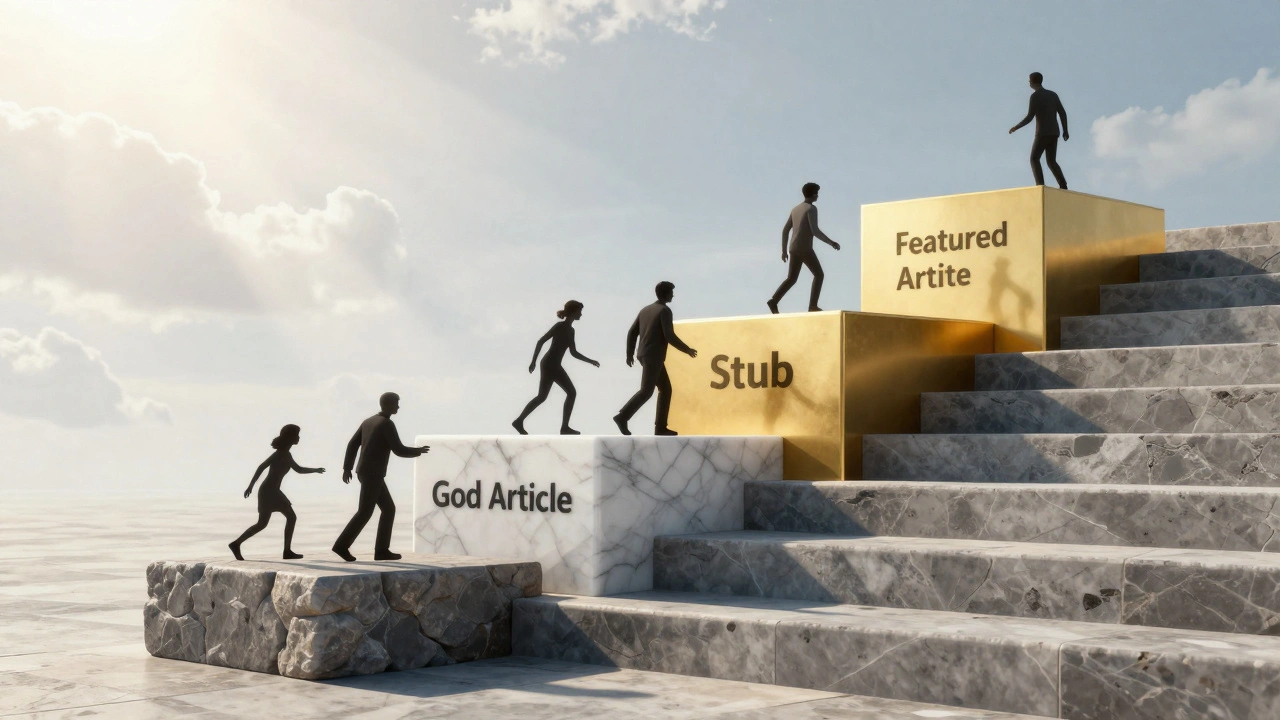
WikiProjects are the backbone of Wikipedia’s quality control. Each project has its own rating system, often ranging from "Stub" to "Featured." When you request a peer review, you’re often implicitly asking for a rating upgrade. Projects like WikiProject Medicine focuses on health-related articles with strict verification standards or WikiProject History emphasizes chronological accuracy and sourcing from primary historical documents provide specialized guidance. Joining these communities gives you access to mentors who can guide you through complex topics. They also offer templates and checklists tailored to your field, making the review process smoother.
Consider the relationship between your article and its WikiProject as a partnership. The project provides the framework; you provide the content. Together, you elevate the article’s quality. This collaboration is essential for achieving higher ratings, which in turn increases the article’s visibility and reliability.
What Happens After the Review?
Once the peer review concludes, your article doesn’t automatically become perfect. It becomes *better*. The next step is ongoing maintenance. Set up watchlists to monitor edits. Engage with other editors who contribute to your article. Build relationships. Wikipedia is a social network as much as it is an information repository. The connections you make during peer reviews can lead to future collaborations, mentorship opportunities, and even invitations to join editorial teams.
If your article receives a high rating, consider nominating it for Good Article or Featured Article status. These nominations involve another round of rigorous review, but the payoff is immense: your work becomes part of Wikipedia’s curated canon, viewed by millions and cited in schools worldwide.
| Feature | Peer Review | Good Article Nomination | Featured Article Nomination |
|---|---|---|---|
| Purpose | General feedback and improvement | Formal assessment for GA status | Top-tier evaluation for FA status |
| Duration | 1-4 weeks | 2-6 weeks | 1-3 months |
| Reviewer Expertise | Varies; general editors | Experienced reviewers familiar with GA criteria | Elite reviewers with deep subject knowledge |
| Outcome | Improved article, informal rating | GA badge, increased visibility | FA badge, front-page features, high prestige |
| Difficulty | Moderate | High | Very High |
Building Long-Term Editorial Skills
Mastering peer review isn’t just about fixing one article. It’s about developing a mindset of continuous improvement. As you engage with more reviews, you’ll start noticing patterns. You’ll learn which sources hold up best, how to structure arguments persuasively, and how to navigate policy debates. These skills transfer to every article you touch. Over time, you may become a reviewer yourself, helping newcomers refine their work. This cycle of giving and receiving feedback strengthens the entire ecosystem.
Remember, Wikipedia thrives on participation. The more you invest in the process, the more you gain-not just in article quality, but in community standing. Your contributions become recognized, your username gains trust, and your voice carries weight in discussions. That influence allows you to shape the encyclopedia’s direction, advocate for important topics, and ensure diverse perspectives are represented.
How long does a Wikipedia peer review typically take?
A peer review can take anywhere from a few days to several weeks. Popular topics with active WikiProjects may receive quick feedback, while niche subjects might wait longer. Patience is essential; avoid reposting the request prematurely.
Can I request a peer review for a draft article?
Yes, but it’s better to use the Articles for Creation (AfC) process for drafts. AfC reviewers specialize in evaluating new submissions for notability and completeness. Once accepted, you can then request a peer review for further refinement.
What should I do if a reviewer ignores my response?
Give it a few days. Editors are volunteers with busy lives. If silence persists, politely ping them again or seek feedback from other members of the relevant WikiProject. Don’t assume neglect; sometimes notifications get buried.
Is a peer review mandatory for featured articles?
While not strictly mandatory, a prior peer review is highly recommended. It prepares the article for the intense scrutiny of the Featured Article candidate process. Many successful FAs underwent multiple rounds of peer review beforehand.
How do I find active reviewers for my topic?
Check the member lists of relevant WikiProjects. Look for users with recent activity logs. You can also post on the Wikipedia Village Pump or specific project notice boards to attract interest. Building relationships with active editors increases your chances of finding dedicated reviewers.