Ever stared at a Wikipedia article with a glaring "Citation needed" tag and felt paralyzed by where to start? You are not alone. Improving Wikipedia is a collaborative online encyclopedia that relies on verifiable, reliable sources to maintain its high standard of accuracy. The biggest hurdle for most editors isn't writing; it's finding sources that actually meet the strict criteria for reliability. If you want your edits to stick, you need the right toolkit. Here is how to stop guessing and start citing with confidence.
Why Source Quality Matters More Than Quantity
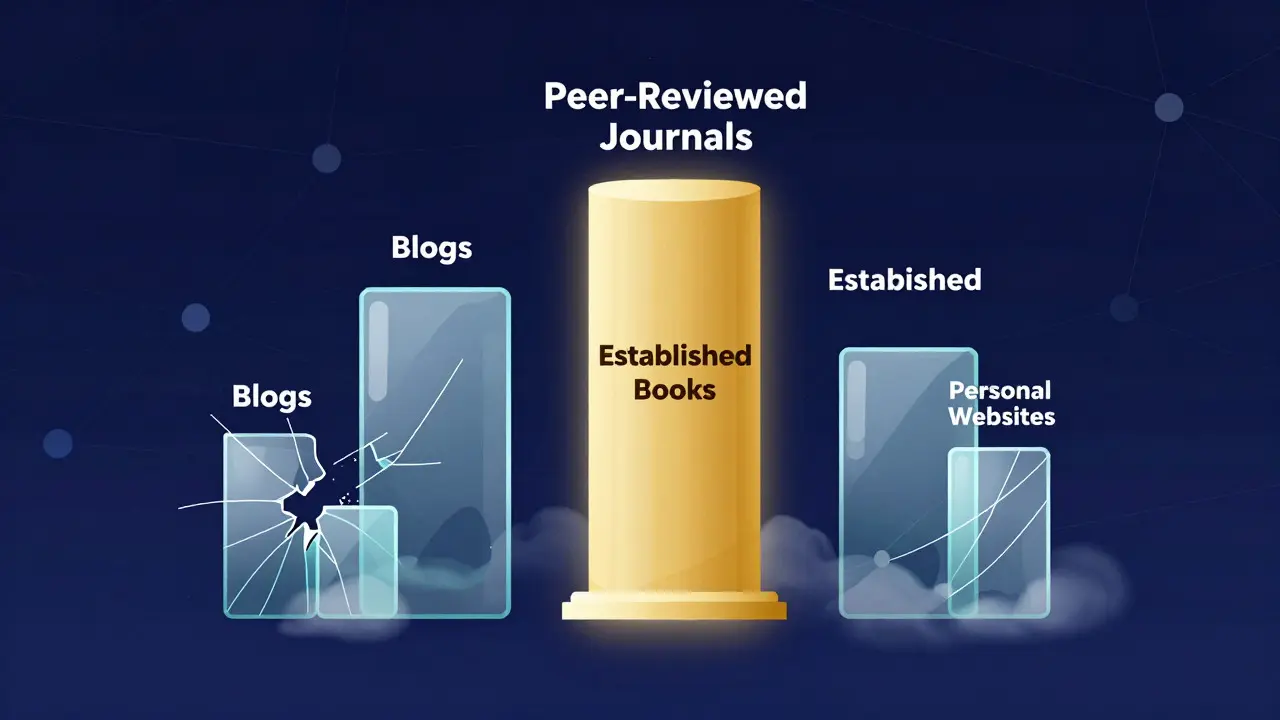
Before diving into specific software, it helps to understand what makes a source "reliable" in the context of Wikipedia. A reliable source is one that has a good track record of fact-checking and expert review. This usually means peer-reviewed journals, major news outlets, or established books. Conversely, blogs, personal websites, and other encyclopedias rarely qualify as primary evidence unless they are being cited for their own content. Understanding this distinction saves you hours of work because it prevents you from wasting time on sources that will be deleted by reviewers during the Wikipedia Review Process, which involves community members checking edits for compliance with guidelines.
The Essential Search Engines for Academic Research
For scientific, medical, or historical topics, general web searches often fail. You need specialized databases. Google Scholar is a free service that allows users to search across scholarly literature, including papers, theses, books, and court opinions. It’s the fastest way to find peer-reviewed articles. When you find a relevant paper, look for the "Cited by" link. If a recent, reputable study cites an older foundational work, that older work is likely a solid, reliable source. Another powerful option is JSTOR, which provides access to millions of academic journals and books. While some content requires a university login, many institutions offer free public access, making it a goldmine for historical and social science topics.
Using Library Resources for Deep Dives
If you have access to a local public or university library, use it. Librarians are trained to help you navigate complex databases like ProQuest and EBSCOhost. These platforms host thousands of magazines, newspapers, and academic journals. The advantage here is curation. Unlike open-web searches, these databases already filter out low-quality spam. When using these tools, pay attention to the publication date. For fast-moving topics like technology or politics, a source from five years ago might be outdated, whereas for historical events, older sources are often more authoritative.
Verifying News Sources and Media Outlets
Not all news is created equal. To find reliable current events coverage, rely on established media organizations with strong editorial standards. Tools like AllSides help you check the political bias of a news outlet, which is crucial for maintaining neutrality on controversial topics. Additionally, checking the author’s credentials matters. An article written by a senior correspondent at a major newspaper carries more weight than a guest post on a niche blog. Always verify that the news outlet has a clear correction policy and employs professional editors. This ensures that errors are caught and fixed before they spread, a key component of journalistic integrity.
Managing Citations with Browser Extensions
Finding the source is only half the battle; formatting it correctly is the other. Wikipedia uses a specific citation format, and getting it wrong can lead to edit reverts. Browser extensions like Cite This or RefWorks can automatically extract metadata (author, title, date, URL) from any webpage you visit. They generate the correct Wikipedia template code, saving you from manual typing errors. For academic papers, these tools pull data directly from the PDF or landing page, ensuring that the DOI (Digital Object Identifier) is included. Including DOIs is highly recommended because it creates a permanent link to the source, even if the website changes later.
| Tool Name | Best For | Cost | Key Feature |
|---|---|---|---|
| Google Scholar | Academic & Scientific Papers | Free | Citation tracking and cross-referencing |
| JSTOR | Historical & Social Sciences | Freemium | Access to archived academic journals |
| AllSides | News Bias Checking | Freemium | Media bias ratings and comparison |
| Cite This | Automatic Citation Formatting | Free | Generates Wikipedia-ready templates |
Avoiding Common Pitfalls in Sourcing
Even with the best tools, you can fall into traps. One common mistake is relying on secondary sources when a primary source is available. For example, instead of citing a newspaper article about a book launch, cite the book itself if you have access to it. Another pitfall is "circular sourcing." This happens when Source A cites Source B, and you cite Source A. If both trace back to the same original rumor, you haven't added new verification. Always try to trace claims back to the origin. Finally, watch out for paywalls. If a source is behind a paywall, make sure the citation includes enough detail (like the ISBN or DOI) so readers can verify it themselves through their own library subscriptions.
Next Steps for Effective Editing
Start small. Pick one article with a few missing citations rather than overhauling a whole page. Use Google Scholar to find three solid academic sources. Verify them against the text. Use a browser extension to format the citations. Then, submit your edit with a clear summary explaining what you added. If you get stuck, join a local editing group or ask for help on the talk page of the article. Consistency and patience are key. Over time, you’ll develop an instinct for spotting reliable information quickly, turning you from a casual editor into a trusted contributor to the world’s largest encyclopedia.
What is the difference between a primary and secondary source?
A primary source is direct evidence, such as a transcript of a speech, a raw dataset, or a first-hand account. A secondary source interprets or analyzes primary sources, like a history book discussing that speech. Wikipedia generally prefers secondary sources for general facts because they provide context and analysis, but primary sources are essential for defining terms or quoting exact words.
Are government websites considered reliable sources?
Yes, official government websites are usually considered reliable for factual data like census statistics, legal codes, and official announcements. However, they should be used cautiously for political commentary or subjective claims, as they may reflect the current administration's perspective rather than neutral consensus.
How do I handle a source that is no longer online?
If a web source disappears, check the Wayback Machine for an archived version. If an archive exists, cite the archived URL. If no archive is available, try to find a print version via WorldCat or a library catalog. Citing the print edition with an ISBN is often more durable than a dead web link.
Can I use my own blog posts as sources?
Generally, no. Personal blogs are rarely considered reliable sources unless the author is a recognized expert in the field and the blog is widely cited by other independent media. Even then, it is safer to find a third-party source that has reported on your work rather than citing yourself directly.
What should I do if two reliable sources contradict each other?
Present both views neutrally. Do not pick a side based on personal preference. Explain that there is a dispute among experts and cite both sources. If one source is significantly more recent or authoritative, you may give it slightly more weight, but always attribute the claim to the specific source to maintain balance.