Wikipedia runs on trust. Thousands of volunteers edit articles every day, fixing typos, adding sources, and updating facts. But not everyone plays fair. Some editors don’t care about accuracy-they spam links, delete content, insert false information, or wage edit wars just to cause chaos. These are the disruptive editors. And when they show up, someone has to step in.
What Counts as Disruptive Behavior?
Not every disagreement is vandalism. Wikipedia has clear rules, but they’re often misunderstood. A disruptive editor doesn’t just make a bad edit-they repeat harmful behavior after being warned. Common examples include:
- Adding fake citations or made-up statistics
- Deleting large sections of well-sourced content without explanation
- Inserting promotional links or spam (like affiliate URLs or ads)
- Repeatedly reverting edits from other users just to restart the same argument
- Using multiple accounts to bypass blocks or manipulate consensus
- Harassing or threatening other editors
These aren’t mistakes. They’re patterns. And they break the core idea of Wikipedia: a collaborative space built on reliable information.
How Blocking Works
Blocking isn’t punishment. It’s a temporary pause. Think of it like putting a broken tool in the box until it’s fixed. Only registered users with administrator rights can issue blocks, but any user can report disruptive behavior.
To start the process:
- Document the problem. Save diffs (specific versions of edits) showing the harmful changes.
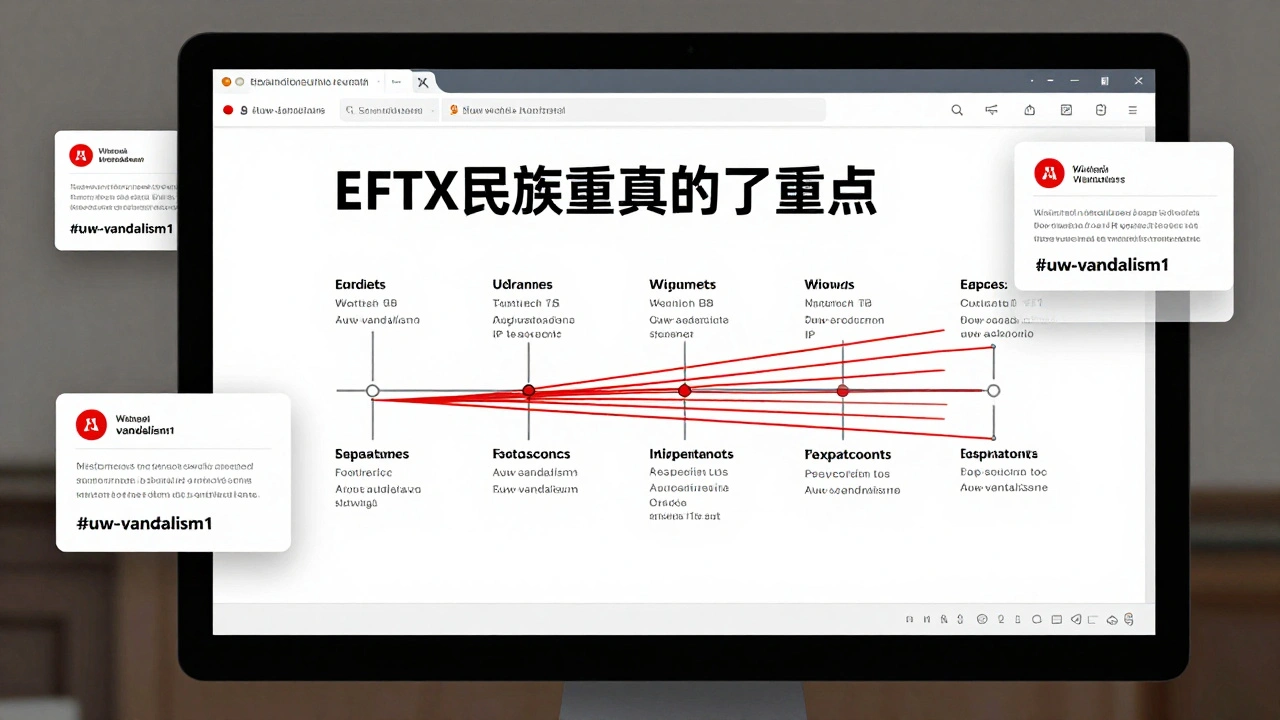
- Leave a clear warning on the editor’s talk page. Use standard templates like
{{uw-vandalism1}}or{{uw-attack}}. These aren’t just formality-they’re part of the process. - If the behavior continues after one or two warnings, file a report at Wikipedia:Administrator Noticeboard (AN). Include links to the diffs and timestamps.
Administrators review reports daily. They check if the editor has been warned before, how severe the edits were, and whether the behavior matches past patterns. A first-time spammer might get a 24-hour block. A repeat offender who deletes hundreds of edits might get blocked for weeks or longer.
Block Durations and Types
Blocks aren’t one-size-fits-all. They vary based on history and intent:
| Behavior Type | Typical First Block | Repeat Offender | Extreme Cases |
|---|---|---|---|
| Minor vandalism (e.g., one fake sentence) | 24 hours | 1 week | Indefinite |
| Spam or promotional links | 1 week | 1 month | Indefinite |
| Edit warring (repeated reversions) | 3 days | 2 weeks | Indefinite |
| Harassment or threats | 1 week | 3 months | Indefinite |
| Sockpuppetry (fake accounts) | 1 month | Indefinite | Permanently banned |
Some blocks are “indefinite,” meaning they last until an administrator reviews the case. Others are time-based. Blocks can also be “partial”-blocking an editor from editing certain pages (like a celebrity’s biography) while still allowing edits elsewhere.
What Happens After a Block?
When someone is blocked, they can’t edit Wikipedia. But they can still:
- View articles
- Visit their own talk page
- Send messages through the email system (if enabled)
They’ll also see a block notice explaining why they were blocked and how to appeal. The appeal process is simple: go to their talk page, explain what they did wrong, and promise to follow the rules. Many editors return after a block and become productive contributors.
But if someone keeps trying to get around the block-using a new account, a proxy, or a friend’s device-they’ll get an indefinite block. Wikipedia tracks IP addresses and account patterns. It’s not hard to spot repeat offenders.
Unblocking: When and How
Blocks aren’t forever. In fact, most are designed to be temporary. An editor can request unblocking by:
- Leaving a message on the administrator’s talk page who issued the block
- Explaining what they learned
- Asking for a chance to edit again
Administrators look for three things:
- Did the editor understand why they were blocked?
- Do they show remorse or at least willingness to change?
- Is there evidence they’ll follow the rules this time?
Many unblocks happen after 24 hours for minor cases. For longer blocks, the editor usually waits until the time expires. Some admins will unblock early if the person shows genuine insight. One editor, blocked for spamming links, spent weeks studying Wikipedia’s policies, then wrote a 500-word apology. They were unblocked after three days.
But unblocking doesn’t mean a clean slate. The editor’s history stays visible. If they slip again, the next block will be longer-and harder to appeal.
Why Some Editors Stay Blocked Forever
Not every blocked editor gets a second chance. Some are permanently banned because:
- They’ve been blocked multiple times before
- They use sockpuppet accounts to evade blocks
- They’ve engaged in harassment or doxxing
- They’re part of organized vandalism rings
Wikipedia’s Arbitration Committee handles the most serious cases. They can issue permanent bans after public hearings. These bans are rare-only about 0.01% of all editors ever get them-but they exist for a reason: to protect the encyclopedia from those who refuse to play by the rules.
What You Can Do as a Regular Editor
You don’t need admin rights to help. Here’s how:
- Revert vandalism quickly. Use the rollback tool-it’s one click.
- Warn editors politely. No yelling. No insults. Just facts.
- Report repeat offenders. Don’t wait until it’s out of control.
- Use the
{{uw-vandalism}}template series. They’re designed to be clear and neutral. - Don’t engage in edit wars. If you’re stuck in a loop, step back and report.
Most disruptive editors leave on their own once they realize Wikipedia isn’t a place for chaos. But when they don’t, the system works best when everyone helps.
Common Mistakes to Avoid
Even experienced editors mess up. Here’s what not to do:
- Don’t block someone without warning them first. It violates policy.
- Don’t block for disagreements over content. Blocks are for behavior, not opinions.
- Don’t assume a block is permanent. Most aren’t.
- Don’t retaliate. If someone blocks you unfairly, appeal-not fight.
Wikipedia’s strength isn’t its rules-it’s its community. When people follow the process, even the worst offenders can turn into contributors.
Can I block someone myself if I’m not an admin?
No. Only administrators can issue blocks. But you can report disruptive behavior to the Administrator Noticeboard (AN) with clear evidence. Most admins respond within 24 hours. Don’t try to take matters into your own hands-this can lead to you being blocked instead.
How long does a block last on Wikipedia?
It depends on the offense. Minor vandalism might get a 24-hour block. Spam or edit warring often results in 1 week to 1 month. Repeat offenders or those using sockpuppets can get indefinite blocks. Permanent bans are rare and only happen after multiple violations or serious misconduct.
What if I’m blocked and I think it’s unfair?
Leave a message on the talk page of the administrator who blocked you. Explain what happened, admit any mistakes, and show you understand the rules. Don’t argue or get angry. Many blocks are lifted after a respectful appeal. If you’re still blocked after a week, you can ask for mediation at Wikipedia:Dispute Resolution.
Can a blocked user still read Wikipedia?
Yes. Blocking only stops editing. Blocked users can still browse articles, view their own talk page, and read messages. Many use this time to reflect on why they were blocked. Some even return as better editors after learning from the experience.
Is there a way to tell if someone is a repeat offender before they’re blocked?
Yes. Use the user contribution page (Special:Contributions/username) to see their edit history. Look for patterns: repeated removal of sourced content, frequent reverts, or edits that match known vandalism patterns. Tools like ClueBot NG and Huggle also flag likely vandals automatically. If you see the same behavior across multiple users, report it.