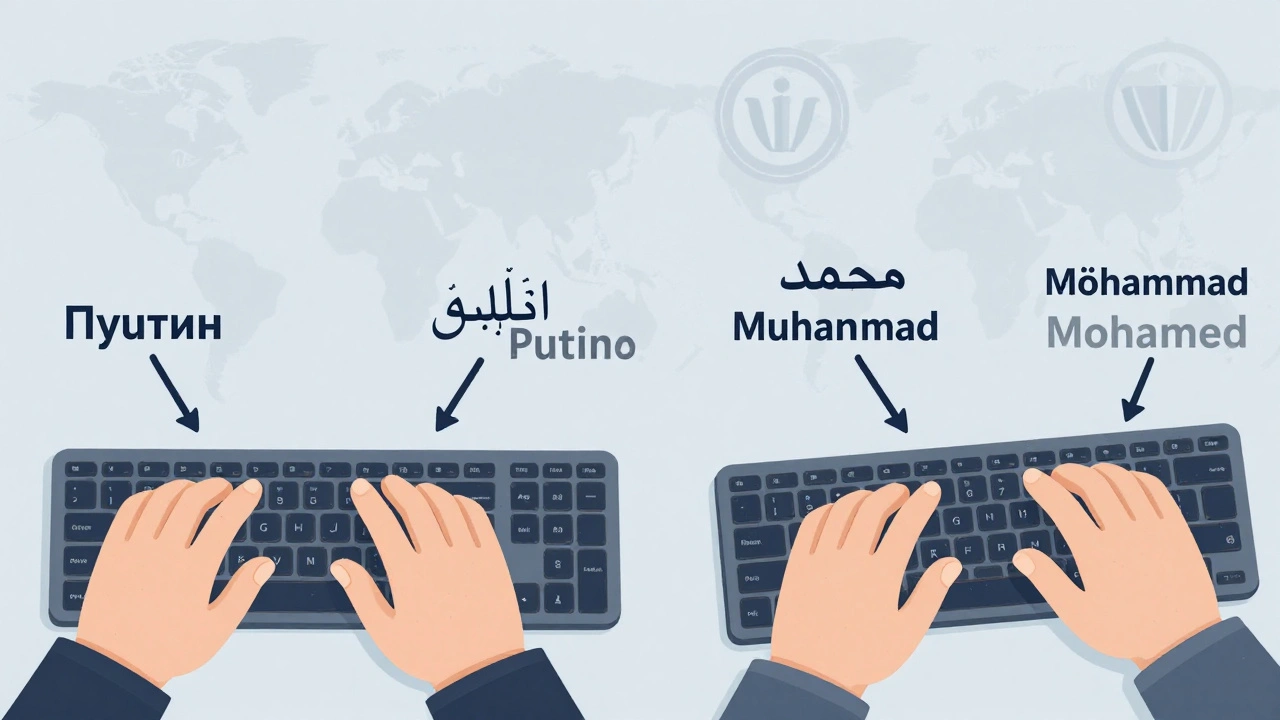
Wikipedia has over 300 language editions, but not every editor speaks the language they’re editing. If you’re adding a name from Cyrillic, Arabic, Devanagari, or Chinese characters to an English Wikipedia article, you need to convert it accurately. That’s where transliteration and romanization tools come in. These aren’t just fancy converters-they’re the backbone of reliable multilingual content. Get it wrong, and you risk misrepresenting people, places, and cultures. Get it right, and you help make Wikipedia truly global.
What’s the difference between transliteration and romanization?
People use these terms interchangeably, but they’re not the same. Transliteration means converting letters from one writing system to another, letter by letter. For example, the Russian name Путин becomes Putin in Latin script. Each Cyrillic character maps directly to a Latin one. It’s mechanical, consistent, and preserves the original spelling.
Romanization is about representing spoken sounds in the Latin alphabet. It’s phonetic. So the Arabic name محمد might become Muhammad, Mohammad, or even Mohamed depending on dialect and convention. Romanization focuses on how it’s pronounced, not how it’s written.
Wikipedia’s guidelines require transliteration for languages with standardized systems (like Russian or Greek), and romanization for languages without clear letter-to-letter rules (like Arabic or Chinese). Mixing them up leads to chaos in search results and inconsistent article titles.
Why this matters for Wikipedia editors
Imagine you’re editing an article about a Ukrainian footballer. His name is written in Cyrillic: Олександр Шевченко. If you type it as Aleksandr Shevchenko, you’re following the BGN/PCGN standard. But if you use a machine translator or guess, you might end up with Alexander Shevchenko-a name that sounds English, not Ukrainian. Now, someone searching for the real player can’t find him. That’s not just an error. It’s erasure.
Wikipedia’s Manual of Style for non-Latin scripts says: “Use the most widely accepted standard for the language.” That’s not up for debate. Tools help you follow those standards without memorizing 50 different romanization tables.
Top tools Wikipedia editors actually use
Not all converters are created equal. Some are academic, some are outdated, and some are just wrong. Here are the tools editors rely on daily:
- ALC (Academic Library of Congress) Romanization Tables - Used by U.S. libraries and academic publishers. Covers Russian, Arabic, Chinese, Korean, and more. Precise, consistent, and endorsed by Wikipedia’s own guidelines.
- ISO 9:1995 - The international standard for Cyrillic transliteration. Every letter has one unique Latin equivalent. No ambiguity. Used by the UN and many European libraries.
- ALA-LC Romanization Tables - The gold standard for Arabic, Persian, and South Asian languages. Updated regularly. If you’re editing articles on Middle Eastern figures, this is your go-to.
- BGN/PCGN - Used by the U.S. Board on Geographic Names and the UK’s Permanent Committee on Geographical Names. Ideal for place names in Russian, Ukrainian, Georgian, and others.
- Wikipedia’s own conversion templates - Many language editions have built-in tools. For example, typing
{{transl|ru|Путин}}on English Wikipedia auto-converts to Putin using the correct standard.
Don’t use Google Translate or DeepL for this. They’re trained on web text, not linguistic standards. They’ll turn القاهرة into “Al Qahira” instead of “Cairo,” or 北京 into “Bei Jing” instead of “Beijing.” That’s not just wrong-it’s misleading.
How to use these tools in practice
Here’s a real workflow for editing a Wikipedia article with a non-Latin name:
- Find the original script. Copy the exact spelling from a reliable source-official biography, government website, or academic publication.
- Identify the language. Is it Serbian? Then use Latin-to-Cyrillic rules. Is it Japanese? Then use Hepburn romanization.
- Look up the standard. Go to the Wikipedia Romanization page and find the approved system for that language.
- Use the tool. Paste the text into a trusted converter like the Library of Congress converter or use Wikipedia’s built-in template.
- Verify. Cross-check with at least two sources. If the person’s name appears in English media, check how major outlets like BBC or Reuters spell it.
- Tag it. In the article’s talk page, note which standard you used. Example: “Transliterated using ISO 9:1995 for Russian.”
Pro tip: Bookmark the Wikipedia Romanization page. It’s updated monthly and includes links to official documents, PDFs, and even Excel sheets for offline use.
Common mistakes and how to avoid them
Even experienced editors slip up. Here are the top five errors:
- Mixing standards - Using BGN/PCGN for Russian names but ALA-LC for Arabic. Pick one system per language and stick to it.
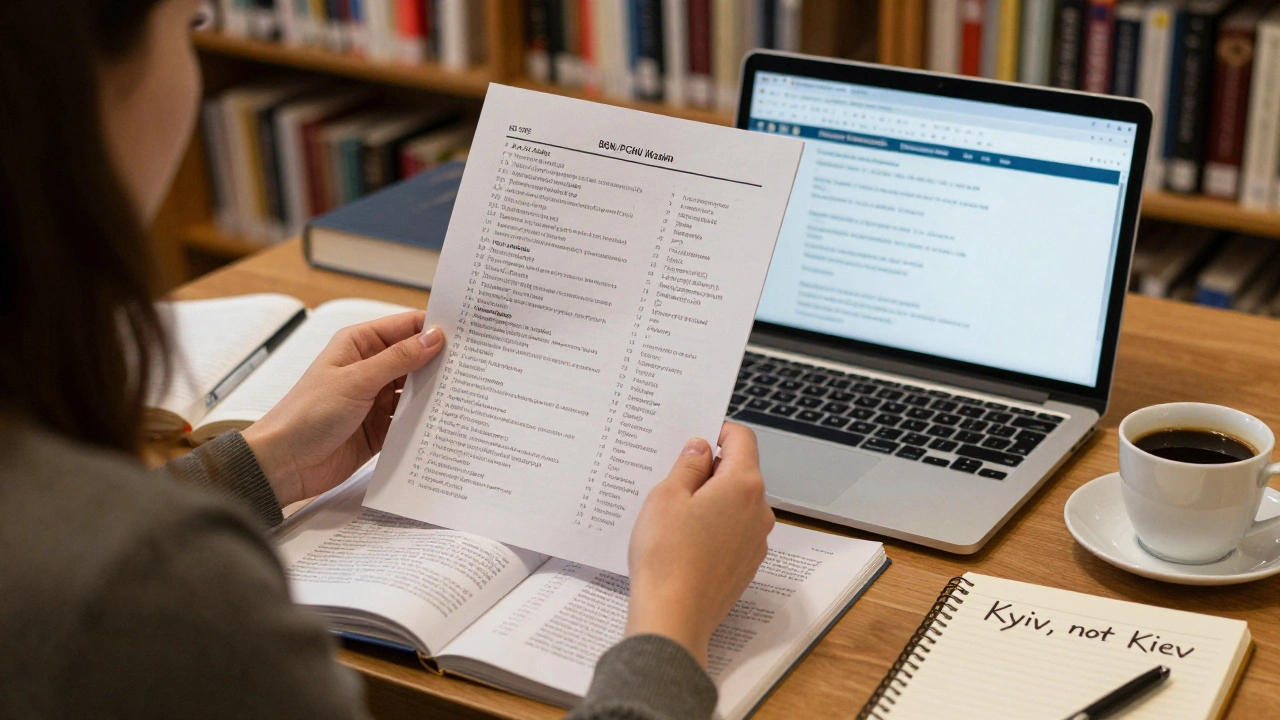
- Over-romanizing - Turning Киев into Kiev instead of Kyiv. Ukraine’s government switched to “Kyiv” in 2018. Wikipedia followed in 2019. Using “Kiev” now is outdated.
- Ignoring diacritics - Dropping accents in French or Portuguese names. José isn’t Jose. François isn’t Francois. These aren’t optional.
- Using native spellings in English articles - Don’t write 北京 in an English Wikipedia article. Write Beijing. The article is in English. Use the accepted romanization.
- Assuming one-size-fits-all - Chinese has Pinyin, Wade-Giles, and Yale systems. Only Pinyin is used on Wikipedia. Don’t use “Chungking” for Chongqing.
When in doubt, check the article’s history. Look at how the name was spelled before. If it changed recently, read the edit summary. Often, it’ll say “updated to official Ukrainian standard” or “changed to Pinyin per WP:Romanization.”
Tools you can install right now
You don’t need to copy-paste into a browser every time. Here are free tools that integrate directly into your editing workflow:
- Wikipedia:Romanization gadget - Enable it in your preferences under “Gadgets.” It adds a button next to any non-Latin text you paste, converting it instantly using Wikipedia’s approved standards.
- Transliterator Chrome Extension - Works on any webpage. Highlight any Cyrillic, Arabic, or Greek text, click the icon, and get the correct Latin version.
- LibreOffice Macros - Download pre-built scripts for batch conversion of Russian or Arabic text. Useful if you’re editing multiple articles or importing data.
- Python scripts - For advanced users, the
pyunidecodelibrary handles most Latinizations with one line of code. It’s used by some bots on Wikipedia to auto-fix names.
These tools cut editing time in half. One editor in Kyiv told me she used to spend 20 minutes verifying each name. Now, with the gadget enabled, it takes 30 seconds.
What to do when there’s no standard
Some languages don’t have a widely accepted romanization. For example, Burmese, Tibetan, or many Indigenous languages of the Americas. In these cases:
- Use the most common spelling in English-language media.
- Check academic sources like university presses or ethnographic studies.
- If multiple spellings exist, use the one preferred by the subject’s community, if known.
- Always cite your source in the article’s references.
Wikipedia doesn’t invent standards. It follows them. When there’s no clear rule, the community decides through discussion on the article’s talk page. Don’t rush it. Consensus matters more than speed.
Resources to keep handy
Save these links. They’re your lifeline:
- Wikipedia:Romanization - The master list of all standards by language.
- Library of Congress Romanization Tables - Official PDFs for every system.
- Unicode Common Locale Data Repository - Contains authoritative transliteration rules used by operating systems and browsers.
- BGN/PCGN Romanization Systems - For geographic names.
- Unicode Charts - Find the exact characters in non-Latin scripts to verify you’re copying correctly.
These aren’t just references-they’re the legal documents of global knowledge. Get them wrong, and you’re not just making a typo. You’re misrepresenting history.
Frequently Asked Questions
What’s the difference between transliteration and transcription?
Transliteration converts written characters from one script to another, preserving spelling. Transcription converts spoken sounds into writing. For example, the Russian word свет transliterates to svet, but if someone says it with a soft ‘t’, a transcription might write it as svyet. Wikipedia uses transliteration for consistency, not transcription.
Can I use Google Translate to convert names for Wikipedia?
No. Google Translate is trained on web content, not linguistic standards. It often guesses based on common usage, not official rules. For example, it might convert Arabic السعودية to "Al Saudia" instead of "Saudi Arabia." That’s incorrect. Always use Wikipedia-approved tools or official romanization tables.
Why does Wikipedia use different systems for different languages?
Because each writing system has its own history and conventions. Russian uses ISO 9 because it’s precise and unambiguous. Arabic uses ALA-LC because it’s used by libraries and scholars worldwide. Chinese uses Pinyin because it’s the official standard of the People’s Republic of China. Wikipedia follows these to respect authority and avoid confusion.
What if a person spells their name differently in English?
Use the spelling they use themselves. If a person signs their name as "Mehmet" but the standard romanization is "Muhammed," use "Mehmet." Personal preference overrides system rules when the subject is a living person and the spelling is publicly documented.
Are there any automated bots that fix romanization errors?
Yes. Bots like PereslavlBot and WMBot automatically correct common transliteration mistakes on Russian, Arabic, and Chinese pages. But they only fix clear, documented errors. If you’re unsure, don’t rely on bots-check the standards yourself.
Next steps for editors
Start small. Pick one article with a non-Latin name you’ve been avoiding. Use the Wikipedia romanization gadget. Convert it. Check the standard. Edit the article. Save it. Then do it again. Within a week, you’ll be faster than most editors who’ve been on Wikipedia for years.
Every name you convert correctly is a small act of justice. It gives visibility to people whose languages are often ignored. It makes Wikipedia more than just a collection of articles-it becomes a global archive of real lives, spelled right.