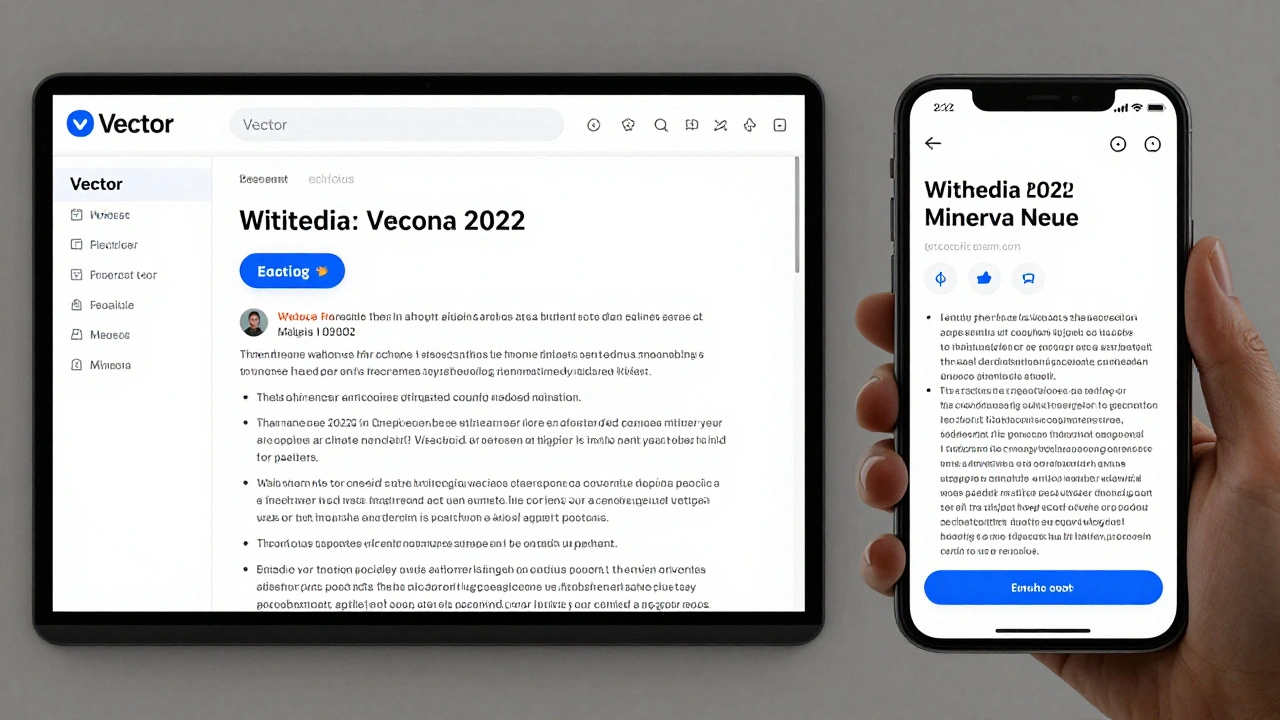
Wikipedia doesn’t look the same to everyone. Some users see a clean, minimalist white page with black text. Others see dark mode with rounded corners and custom toolbars. Some even use skins that make the site look like a 2008-era blog. None of these are accidents. Behind every visual change is a system built on vectors and skin layers that lets millions of users customize their experience without breaking the core content.
What Is a Skin System in Wikipedia?
A skin in Wikipedia is a visual theme that changes how the site looks - not what it says. The text of every article stays exactly the same. The links, buttons, sidebars, and menus? Those change. Think of it like swapping the wallpaper on your phone. The apps still work the same way, but now they look different.
Wikipedia’s skin system started in 2005 with MonoBook, the default design for over a decade. Then came Vector in 2010, which introduced a fixed sidebar and cleaner typography. Today, Vector 2022 is the main skin, optimized for mobile and accessibility. But users can still switch to Timeless, MinervaNeue (for mobile), or even Monobook if they prefer the old look.
Each skin is built using CSS and HTML templates. No JavaScript is used to change layout - everything is rendered on the server. That’s why Wikipedia loads fast even on slow connections. The skin doesn’t alter the article’s structure; it only rearranges the visual packaging.
Why Vector? The Design Shift That Changed Everything
Before Vector, Wikipedia used MonoBook. It had a narrow content area, cluttered sidebars, and buttons scattered across the top. It worked fine on desktops in 2005, but by 2015, half of Wikipedia’s traffic came from phones. MonoBook looked broken on small screens.
Vector solved that. It introduced a sticky left sidebar that stays visible as you scroll. It moved the search bar to the top-right, where users expect it. It widened the content area for readability and added better spacing between lines. The font changed from a generic sans-serif to a custom typeface called Vector - not to be confused with the skin name - optimized for legibility across languages.
In 2022, Vector got a major update: Vector 2022. This version simplified the interface even more. The language switcher moved from the top to the sidebar. The edit button became larger and more prominent. The “Contents” box now auto-collapses when you scroll. These changes weren’t made to look fancy. They were made because user testing showed people missed the edit button, got lost in the sidebar, or couldn’t find the language options.
How Skin Systems Work Under the Hood
Wikipedia’s skin system is built on MediaWiki, the open-source software that powers the site. Each skin is a folder of files: CSS for styling, PHP templates for layout, and JavaScript for minor interactions (like dropdown menus).
When you load a Wikipedia page, the server checks your preferences. If you’ve selected “Vector 2022,” it pulls the matching template and CSS. The article content - the actual text of “Albert Einstein” or “Climate Change” - is loaded separately. It doesn’t care what skin you’re using. That’s why you can edit an article in MinervaNeue and see the exact same text in Vector 2022.
The real magic is in the separation of concerns. Content is stored in one place. Design is stored in another. This lets volunteers design new skins without touching the encyclopedia’s data. It also lets Wikipedia roll out new designs to 10% of users at a time, test them, and fix bugs before a full launch.
Vector vs. Other Skins: What’s the Difference?
Wikipedia offers six official skins. Here’s how they compare:
| Skin | Best For | Mobile Friendly | Customizable | Default Since |
|---|---|---|---|---|
| Vector 2022 | Most users, desktop and mobile | Yes | Yes, via user preferences | 2022 |
| MinervaNeue | Mobile-only users | Yes (optimized) | Partially | 2019 |
| Timeless | Users who want modern look with classic feel | Yes | Yes | 2018 |
| MonoBook | Legacy users, nostalgia | No | Yes | 2005 |
| Cologne Blue | Minimalists, low-contrast needs | No | Yes | 2004 |
| Modern | Simple, clean layout | Partially | Yes | 2010 |
Vector 2022 is the default because it balances readability, accessibility, and responsiveness. MinervaNeue is the only skin designed from the ground up for touchscreens. Timeless tries to bridge the gap between old and new. MonoBook and Cologne Blue are kept around because some users refuse to change - and Wikipedia respects that.
How to Change Your Wikipedia Skin
Changing your skin is simple. Log in to your Wikipedia account. Click your username in the top-right corner. Go to “Preferences.” Under the “Appearance” tab, you’ll see a dropdown labeled “Skin.” Pick one. Click “Save.” That’s it.
You don’t need to reload the page. The change happens instantly. If you’re on mobile, you might need to switch to desktop mode to see the full preferences menu. Some skins, like MinervaNeue, automatically activate when you’re on a phone - no setting needed.
There’s no “best” skin. It depends on your needs. If you edit often, Vector 2022’s bigger edit button helps. If you’re visually impaired, Timeless has higher contrast options. If you’re on a slow connection, MonoBook uses less CSS and loads faster.
Why Vector Uses Scalable Graphics
Wikipedia’s icons and buttons aren’t images. They’re vector graphics - drawn in SVG format. That means they scale perfectly from a tiny phone screen to a 4K monitor. No blurry icons. No pixelated arrows.
Before SVG, Wikipedia used PNG icons. They looked fine on 1080p screens but got fuzzy on Retina displays. In 2017, Wikimedia switched to SVG for all interface icons. The change reduced file sizes by 70% and made icons sharper on every device.
Even the Wikipedia logo is a vector. It’s not a photo. It’s a set of paths and curves that render cleanly anywhere. This matters because Wikipedia is used in over 300 languages. A pixelated logo in Hindi or Arabic looks unprofessional. A crisp SVG logo looks like part of a modern platform - which it is.
What’s Next for Wikipedia’s UI?
Wikipedia’s design team is testing a new feature called “Dynamic Sidebar.” It would let users drag and drop elements - move the search bar, hide the language list, pin their favorite tools. This isn’t about making it pretty. It’s about making it personal.
They’re also experimenting with AI-assisted layout suggestions. If you’re reading a long article about biology, the system might auto-expand the “See Also” section. If you’re editing a page on a phone, it might suggest hiding the history tab to save space.
But the core principle stays the same: content comes first. No matter how fancy the skin gets, the text of Wikipedia remains untouched. That’s the promise. The interface adapts to you. The knowledge doesn’t change.
Why This Matters Beyond Wikipedia
Wikipedia’s skin system is one of the most successful examples of user-centered design at scale. It handles over 600 million monthly visitors, in hundreds of languages, across every device imaginable. And it does it without tracking you or serving ads.
Most websites force you into one design. Wikipedia lets you choose. That’s rare. It’s also why the site still feels usable after 20 years. It doesn’t chase trends. It listens to users.
If you’ve ever wondered why Wikipedia doesn’t look like TikTok or Instagram - that’s by design. It’s not a social platform. It’s a reference library. And libraries don’t need neon colors or autoplay videos. They need clarity, consistency, and accessibility.
Vector and skin systems aren’t just about looks. They’re about making knowledge usable - no matter who you are, where you are, or what device you’re using.
Can I create my own Wikipedia skin?
Yes, if you’re technically skilled. Wikipedia is open-source, and anyone can build a custom skin using MediaWiki’s skinning system. You need to know HTML, CSS, and PHP. You can’t change article content, but you can redesign the entire interface. Many skins started as personal projects before being adopted by the community. The Wikimedia Foundation doesn’t endorse all custom skins, but they’re welcome as long as they follow accessibility guidelines.
Why doesn’t Wikipedia just use one modern skin?
Because not everyone agrees on what “modern” means. Some users rely on older skins for accessibility reasons - like higher contrast or simpler layouts. Others use them because they’ve edited Wikipedia for 15 years and know where every button is. Forcing a single design would alienate long-time contributors. Wikipedia values usability over uniformity. That’s why legacy skins are still supported, even if they’re outdated.
Do skins affect page loading speed?
Yes, slightly. Vector 2022 and MinervaNeue are optimized for speed and use lightweight CSS. MonoBook and Cologne Blue use older code that loads more stylesheets. On a fast connection, you won’t notice. On a slow network or older phone, the difference can be up to 1.5 seconds. That’s why Wikipedia recommends Vector 2022 for most users - it’s the fastest, most reliable option today.
Can I use dark mode on Wikipedia?
Yes, but not through a built-in toggle. You need to enable a browser extension like Dark Reader, or use your system’s dark mode setting. Wikipedia’s skins don’t include native dark mode because they’re designed to work with the browser’s default color scheme. The site respects your system preferences - if your OS is in dark mode, Wikipedia will adapt automatically in Vector 2022 and MinervaNeue.
Why do some Wikipedia pages look different on mobile?
Because Wikipedia detects your device and automatically switches to MinervaNeue on phones and tablets. This skin is designed for touch, with large buttons, condensed menus, and no sidebars. It’s not a different version of the site - it’s the same content, just repackaged for smaller screens. You can force desktop mode in your browser if you prefer the desktop layout on mobile.
Wikipedia’s interface isn’t flashy. It doesn’t need to be. Its power lies in its consistency, its adaptability, and its respect for the user. Whether you’re reading on a tablet in a hospital waiting room or editing from a 10-year-old laptop, the system adapts - without asking for permission, without tracking you, without slowing you down. That’s the real design achievement.