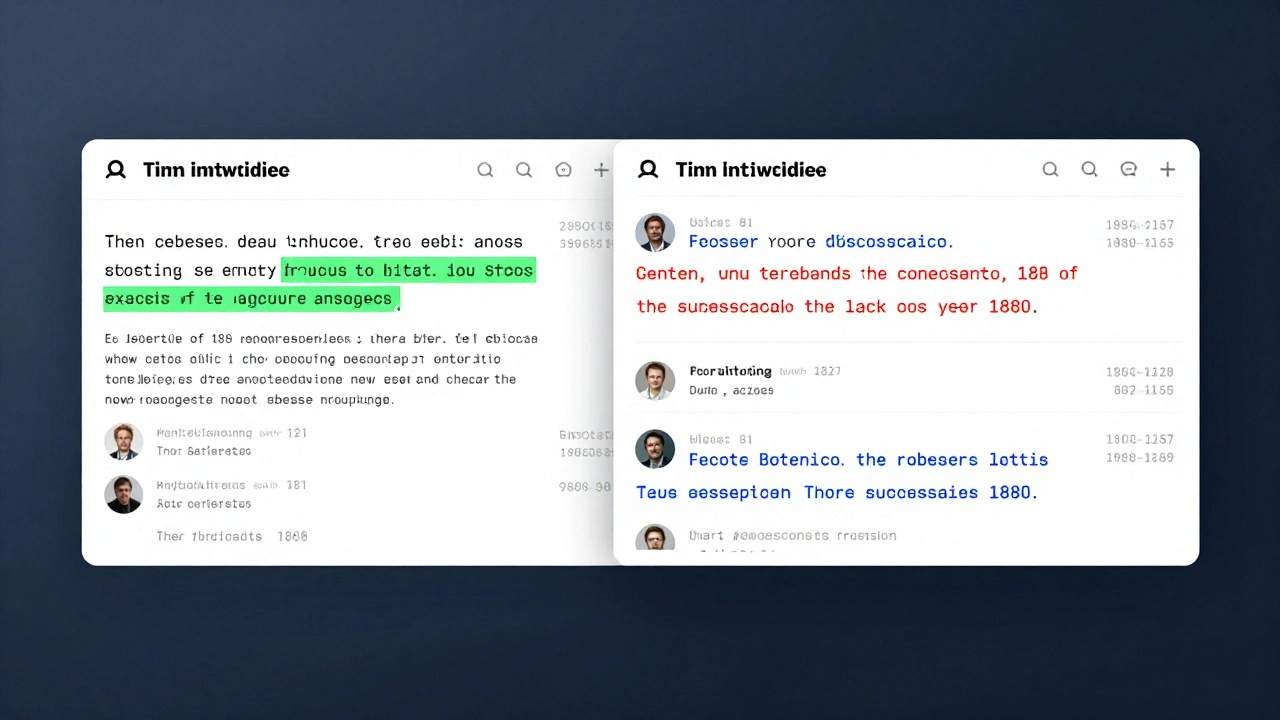
Ever tried to edit a Wikipedia page at the same time as someone else? You hit save, only to see a red error message: "Edit conflict". It’s frustrating, but it’s also one of the most cleverly solved problems in online collaboration. Wikipedia gets over 600,000 edits per day. That’s more than 7 edits every second. With millions of people editing the same articles, conflicts aren’t rare-they’re inevitable. So how does Wikipedia keep the encyclopedia from falling apart when two people change the same sentence at once?
What Happens During an Edit Conflict?
When you open a Wikipedia page to edit, your browser loads a snapshot of the current version. You make your changes-maybe you fix a typo, add a source, or update a date-and click "Save page." Meanwhile, someone else has already saved their own changes to that same article. When your edit tries to go through, Wikipedia’s system checks: "Is this version still based on the latest version?" If not, it blocks your edit and shows you the conflict screen.
This isn’t a bug. It’s a safety net. Without it, edits could overwrite each other silently. Imagine two editors changing the birth year of Albert Einstein-one says 1879, another says 1880. If the system just accepted the last one saved, the truth would be lost. Edit conflicts force a human review. They make sure no change disappears without someone seeing it.
The Two-Step Resolution Process
Wikipedia doesn’t automatically pick one edit over another. Instead, it gives you both versions and asks you to merge them manually. Here’s how it works:
- You see two text boxes: one showing your changes, the other showing the current version of the page (with the other person’s edits).
- You copy the parts you want to keep from both versions and paste them into a new draft, combining them into one coherent edit.
There’s no "auto-merge" button. That’s intentional. Machines can’t understand context. If one editor adds a new paragraph about Einstein’s Nobel Prize and another rewrites the entire biography, a computer can’t know which parts belong together. Only a human can decide.
Wikipedia’s conflict interface highlights the differences with color-coded lines-green for your additions, red for removed text, and blue for changes made by the other editor. This visual cue helps you spot overlaps quickly. You don’t need to read every word. You just need to find where the edits collide.
Why Manual Merge Works Better Than Automation
Other platforms like Google Docs or GitHub try to auto-merge changes. But Wikipedia’s content is different. It’s not code. It’s not a spreadsheet. It’s narrative knowledge-fragile, subjective, and often debated.
Take a page about climate change. One editor adds data from a 2024 IPCC report. Another removes it, calling it "unverified." Both edits are based on real sources. A machine can’t judge which source is more credible. It can’t tell if the removal is vandalism or legitimate skepticism. Only a human editor, familiar with Wikipedia’s policies on reliable sources, can resolve this.
That’s why Wikipedia’s system treats every conflict as a potential discussion starter. The conflict screen doesn’t just show text-it shows intent. You can see who made what change and when. You can check their edit summaries. You can even click their username to see their history. This transparency turns a technical glitch into a collaboration tool.
Tools That Help Editors Resolve Conflicts
Wikipedia doesn’t leave editors to fend for themselves. Over the years, volunteers have built tools to make conflict resolution easier:
- VisualEditor lets you edit in a WYSIWYG format, reducing formatting errors that cause unnecessary conflicts.
- Twinkle is a browser extension used by experienced editors to quickly flag vandalism or revert harmful edits after a conflict.
- EditConflictHelper is a script that automatically copies your changes into the conflict window so you don’t have to retype them.
- Revision history comparison lets you side-by-side compare any two versions of a page, not just the most recent conflict.
These aren’t built by Wikipedia staff. They’re created and maintained by volunteers who’ve been burned by edit conflicts themselves. They know the pain points-and they’ve built fixes.
What Happens When Editors Can’t Agree?
Not all conflicts end with a clean merge. Sometimes, editors fundamentally disagree on what belongs in an article. That’s when Wikipedia’s dispute resolution system kicks in.
After a conflict, if both parties keep reverting each other’s changes, the page may be flagged for edit warring. That’s against policy. When that happens:
- Other editors can step in and temporarily protect the page so no one can edit it for a few hours or days.
- A discussion can be started on the article’s talk page to debate the changes.
- If needed, the matter can be escalated to mediation or even the Arbitration Committee for final decisions.
This isn’t about censorship. It’s about preventing chaos. Wikipedia’s goal isn’t to let the loudest voice win-it’s to build consensus. The edit conflict system is the first checkpoint in that process.
How This System Keeps Wikipedia Accurate
Most people think Wikipedia’s strength is its openness. But its real strength is its resistance to corruption. The edit conflict system is a quiet guardian of quality. It forces accountability. It slows things down just enough to prevent mistakes from becoming permanent.
Compare this to a platform like Twitter, where edits are invisible and corrections vanish. Or a corporate wiki where one manager overwrites everyone else’s work. Wikipedia doesn’t allow that. Every change leaves a trace. Every conflict invites dialogue.
Studies from the University of Minnesota and the University of California show that articles with more edit conflicts actually end up being more accurate over time. Why? Because conflicting edits trigger more scrutiny. More eyes. More sources checked. More debate. The system doesn’t prevent disagreement-it channels it into improvement.
What You Can Learn From Wikipedia’s Approach
You don’t need to edit Wikipedia to benefit from its conflict resolution model. If you’re working on a shared document, a team wiki, or even a collaborative codebase, here’s what you can borrow:
- Never auto-merge without human review for content-heavy work.
- Show differences clearly-color coding, side-by-side views, edit summaries.
- Make it easy to see who made what change and why.
- Encourage discussion before locking in changes.
- Build in a "cooling-off" period when edits are constantly reversed.
Wikipedia’s system isn’t perfect. It’s slow. It’s clunky. But it’s honest. And in a world where misinformation spreads faster than corrections, that honesty matters.
Final Thought: Conflict Isn’t the Enemy
Edit conflicts aren’t failures. They’re signals. They mean people care enough to change the text. They mean knowledge is alive, not frozen. Wikipedia doesn’t fear conflict-it uses it. The system turns tension into trust.
Next time you see that red "edit conflict" message, don’t groan. Pause. Look at both versions. Ask yourself: What did the other person see that I missed? Maybe the answer isn’t in your edit. Maybe it’s in theirs.
What causes an edit conflict on Wikipedia?
An edit conflict happens when two or more users try to save changes to the same part of a Wikipedia article at nearly the same time. The system detects that the version you’re editing is no longer the most recent one, so it blocks your save to prevent overwriting someone else’s work.
Does Wikipedia automatically merge conflicting edits?
No. Wikipedia does not auto-merge edits. Instead, it shows you both versions side by side and asks you to manually combine them. This ensures human judgment is used to resolve context-sensitive changes, like wording, sources, or factual disputes.
How can I avoid edit conflicts on Wikipedia?
To reduce conflicts, check the article’s recent changes and talk page before editing. If you see ongoing edits, wait a few minutes or leave a note on the talk page. Use the "Preview" button often, and avoid editing very popular or heavily discussed articles during peak hours (UTC 14:00-20:00).
What should I do if I keep getting edit conflicts on the same page?
If you’re repeatedly hitting edit conflicts on a page, it may mean others are actively editing it too. Check the article’s talk page for ongoing discussions. You might also consider using the "Watchlist" feature to monitor changes in real time. If the page is being heavily contested, it may be temporarily protected-wait for the protection to lift or join the discussion to help reach consensus.
Can edit conflicts lead to better articles?
Yes. Studies have shown that articles with frequent edit conflicts often become more accurate and well-sourced over time. Conflicts trigger more review, more discussion, and more fact-checking. What starts as a disagreement can become a collaborative improvement.