Imagine reading a headline that contradicts the body text, or finding a date from last year in an article published this morning. It happens more often than we’d like to admit. Persistent inaccuracies are not just typos; they are systemic failures in how information is managed, verified, and updated over time. When these errors linger, they erode trust faster than any single mistake could. The problem isn’t usually lack of effort-it’s the absence of a robust correction process that treats accuracy as an ongoing maintenance task rather than a one-time check before publication.
Why Errors Stick Around
Most organizations assume that if an error isn’t reported immediately, it doesn’t matter. This is a dangerous myth. In digital environments, content lives forever unless actively managed. An incorrect statistic published in 2023 might still be cited by students or journalists in 2026 because nobody went back to fix it. These lingering mistakes create what we call "semantic drift"-where the meaning of a piece changes subtly over time due to outdated context or uncorrected facts. The root causes usually fall into three buckets:
- Lack of ownership: No single person is responsible for keeping old content accurate.
- Low visibility: Users rarely report minor errors because they don’t know where to send them.
- No feedback loop: Corrections are made, but the reason for the error isn’t analyzed to prevent recurrence.
The Anatomy of a Robust Correction Workflow
A effective correction process isn’t about having a fancy software tool. It’s about defining clear roles, triggers, and timelines. Here is what a solid workflow looks like in practice.
- Detection: How do you find the error? Is it through user reports, automated fact-checking scripts, or periodic audits? You need at least two independent channels. Relying solely on user reports means you’ll only fix the most glaring issues, leaving subtle but damaging errors hidden.
- Verification: Before changing anything, verify the new information against primary sources. If you’re correcting a quote, go back to the original interview transcript. If you’re updating a statistic, cite the latest official data release. Never correct based on hearsay or secondary summaries.
- Implementation: Make the change. But here’s the key: document *why* the change was made. Use version control notes or internal changelogs. This creates an audit trail that helps future editors understand the context.
- Notification: Inform relevant stakeholders. If the error affected a major claim, notify subscribers or update social media posts that linked to the article. Transparency builds trust; silence breeds suspicion.
Tools That Actually Help
You don’t need an enterprise-grade CMS to manage corrections well. What you need is visibility and accountability. Many teams struggle because their content management systems (CMS) hide the history of changes. If you can’t see who changed what and when, you can’t hold anyone accountable. Consider implementing simple features:
- Inline editing logs: Show the last edited date and editor name directly on the page footer.
- User reporting buttons: Add a discreet "Report an Error" link near the end of articles. Make it easy to submit a specific section reference.
- Automated alerts: Set up reminders for content older than 12 months to undergo a review. This forces a proactive check rather than waiting for complaints.

Comparing Reactive vs. Proactive Strategies
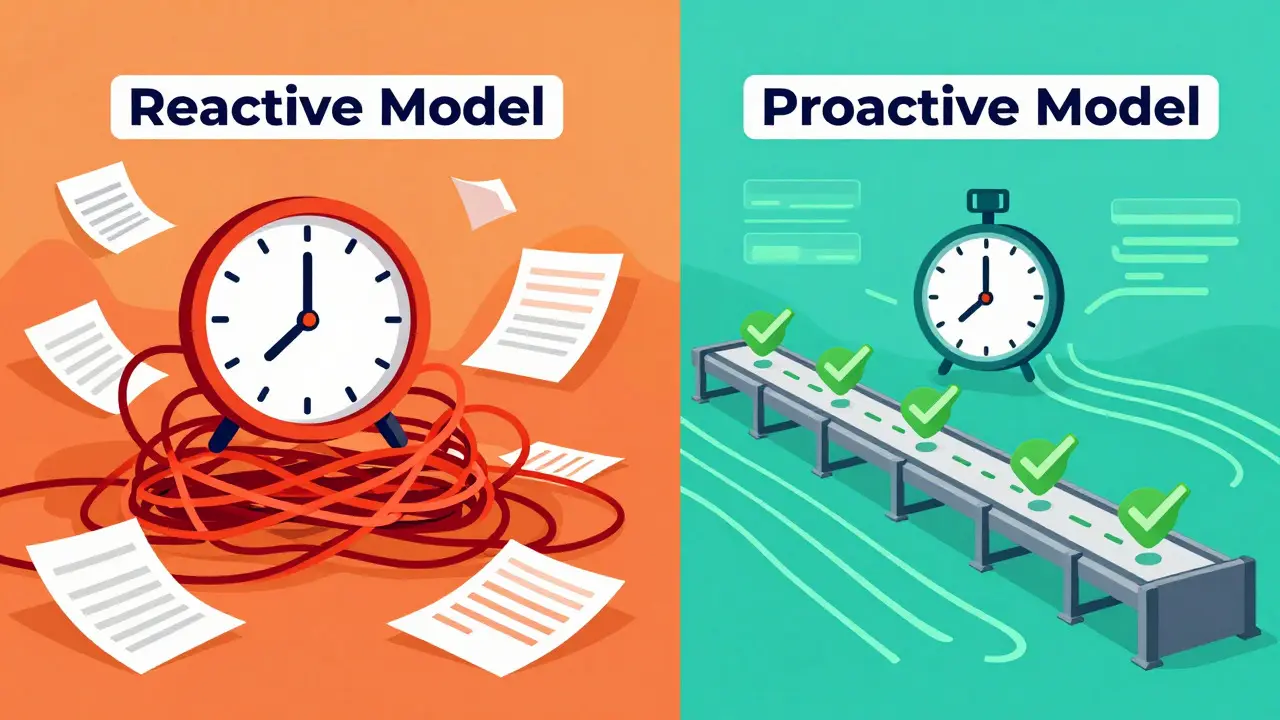
Most organizations operate reactively-they wait for someone to complain. But the best-performing newsrooms and publishers use a hybrid model. Let’s look at the trade-offs.
| Feature | Reactive Model | Proactive Model |
|---|---|---|
| Trigger | User reports or external calls | Scheduled audits + automated checks |
| Cost | Lower upfront, higher long-term reputation risk | Higher labor cost, lower error rate |
| Speed to Fix | Variable (days to weeks) | Faster (hours to days) |
| Trust Impact | Negative if delays are perceived | Positive due to demonstrated diligence |
Common Pitfalls to Avoid
Even with good intentions, teams stumble. Here are the most common traps:
- Over-correcting: Changing too much at once confuses readers. Stick to the specific error unless the entire premise is flawed.
- Hiding corrections: Burying the correction notice at the bottom of the page makes it invisible. Place it prominently near the top or in a sidebar.
- Ignoring metadata: If you fix the text but forget to update the meta description or social share preview, the error persists in search results and feeds.
- No post-mortem: If you don’t analyze why the error happened, you will make the same mistake again. Was it a copy-paste error? A misunderstanding of the source? Document the root cause.
Building a Culture of Accuracy
Processes fail without cultural support. Editors must feel empowered to pause publication to verify facts. Journalists must feel safe admitting mistakes. Leaders must reward transparency, not punish errors. Start small. Pick one high-traffic section of your site and implement a rigorous correction protocol for three months. Track the number of errors found, the time to fix them, and reader feedback. Then scale what works. You’ll likely find that the biggest gains come not from better tools, but from clearer communication between teams. Accuracy isn’t a destination; it’s a habit. By treating persistent inaccuracies as a solvable operational problem rather than an unavoidable byproduct of publishing, you protect your credibility and serve your audience better.
Frequently Asked Questions
How often should I review old content for inaccuracies?
At minimum, review high-impact content annually. For fast-changing topics like technology or finance, quarterly reviews are advisable. Static historical pieces may only need a check every two to three years.
Should I always show a correction note to readers?
Yes, for significant errors. Transparency builds trust. For trivial typos, a silent fix is acceptable, but for factual changes, dates, or quotes, always include a brief note explaining the change.
What is the best way to handle user-reported errors?
Acknowledge receipt within 24 hours. Verify the claim independently. If correct, fix it and thank the reporter publicly or privately. If incorrect, explain why briefly. This closes the loop and encourages future reports.
Do I need special software to manage corrections?
No. A spreadsheet or basic project management tool can work for small teams. The key is consistency in tracking status and assigning responsibility. Software helps at scale but is not a prerequisite for success.
How do I measure the effectiveness of my correction process?
Track three metrics: average time to fix, percentage of errors caught proactively vs. reactively, and reader satisfaction scores related to trust. Improvements in these areas indicate a healthier process.