Imagine trying to write a detailed article about the history of Arabic calligraphy using only a standard QWERTY keyboard. You would spend more time hunting for symbols than actually writing. For millions of contributors around the world, this is not a hypothetical struggle; it is the daily reality of editing Wikipedia the free online encyclopedia that relies on volunteer editors to create and maintain articles in over 300 languages. The barrier isn't just knowledge-it's access to the right tools.
Language technology, specifically Input Method Editors (IMEs) and specialized input tools, serves as the bridge between your thoughts and the screen when you are working with non-Latin scripts. Whether you are typing in Devanagari the script used for Hindi, Marathi, and Sanskrit, Hangul the Korean alphabet system, or Cyrillic the script used for Russian, Bulgarian, and other Slavic languages, the right software makes the difference between frustration and flow. This guide breaks down how these tools work, which ones are best for Wikipedia editing, and how to set them up without breaking your workflow.
What Are Input Method Editors (IMEs)?
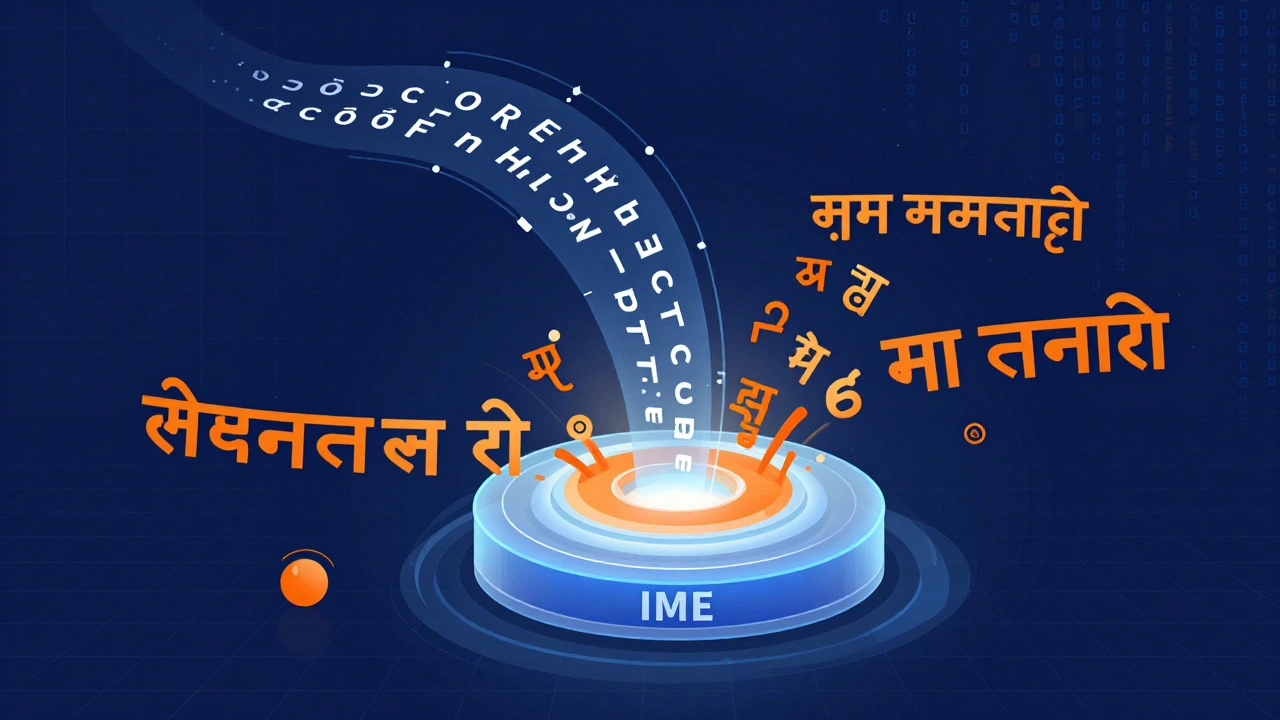
An Input Method Editor a program that allows users to enter characters from complex writing systems using a standard keyboard is more than just a keyboard layout switcher. While a simple keyboard layout maps one key to one character (like 'A' always being 'A'), an IME handles complex logic. It manages tone marks, combining characters, and script conversions that a basic layout cannot support alone.
For example, when typing in Thai, you need to place vowel signs above, below, before, or after consonants. An IME ensures these characters combine correctly into a single visual unit. In Chinese, an IME lets you type Pinyin (romanized sounds) and then select the correct Hanzi (characters) from a candidate list. Without these tools, contributing to the Chinese or Thai editions of Wikipedia would be nearly impossible for most users.
- Keyboard Layouts: Direct mapping of keys to characters (e.g., US International).
- IMEs: Software that processes keystrokes to generate complex characters or convert romanization to native scripts.
- On-Screen Keyboards: Visual representations of keyboards for touch screens or mouse-based input.
Why Input Tools Matter for Wikipedia Editors
Wikipedia’s strength lies in its multilingual scope. As of 2026, there are hundreds of active language editions, each requiring specific linguistic tools. If you want to edit the Japanese Wikipedia, you cannot rely on a standard English keyboard. You need a way to input Hiragana, Katakana, and Kanji.
The challenge goes beyond just typing. It involves consistency and speed. Professional editors often contribute dozens of edits per day. Switching back and forth between English for citations and a local script for content can disrupt focus if the tool is clunky. A good IME integrates seamlessly with the browser and the MediaWiki the open-source wiki software that powers Wikipedia platform, ensuring that special characters don’t break formatting or links.
| Script | Recommended Tool Type | Key Feature | Best For |
|---|---|---|---|
| Arabic | System Keyboard Layout | Bidirectional text support | Native speakers |
| Chinese (Simplified) | Pinyin IME | Predictive text and phrase completion | Non-native learners |
| Devanagari (Hindi) | Inscript / Phonetic IME | Direct transliteration | Quick editing |
| Korean | Two-Set Hangul IME | Syllable block assembly | All users |
Choosing the Right IME for Your OS
Your operating system dictates which IMEs are available out of the box. Most modern systems have robust built-in options, but third-party tools often offer better customization for power users.
Windows
Windows 10 and 11 include strong built-in IMEs for major languages like Japanese, Chinese, and Korean. For Indic scripts, Microsoft offers the Microsoft Indic Language Input tool. However, many advanced users prefer Google Input Tools via the browser extension, which works across all applications without needing deep system configuration.
macOS
Apple’s macOS has excellent native support for complex scripts. The U.S. Extended - Writable keyboard layout is particularly useful for linguists who need to type diacritics for multiple European languages. For Asian languages, the built-in Shirokazu (for Japanese) and Zhuyin (for Traditional Chinese) are highly reliable. Third-party apps like Karabiner-Elements allow you to remap keys for faster switching between languages.
Linux
Linux users have the most flexibility. The IBus an intelligent input bus for Linux desktop environments framework supports almost every script imaginable. For Arabic and Hebrew, Fcitx is another popular choice. The key advantage here is configurability-you can tweak every aspect of the input method to suit your editing style.
Browser-Based Solutions and Extensions
If you don’t want to install system-level software, browser extensions are a viable alternative. Google Input Tools is the most widely used extension for this purpose. It works directly in the Wikipedia edit box, allowing you to type in phonetic English and have it converted to the target script.
This approach has pros and cons. On the plus side, it requires no setup and works on any computer you log into. On the downside, it may not integrate perfectly with system-wide shortcuts, and some advanced features (like predictive text based on your personal vocabulary) are limited compared to native IMEs. For casual editors, it’s perfect. For heavy contributors, a native IME is usually faster.
Troubleshooting Common Issues
Even with the best tools, issues arise. Here are the most common problems Wikipedia editors face and how to fix them.
- Broken Formatting: Sometimes, copying text from Word or a PDF into Wikipedia brings hidden formatting codes that break the wiki markup. Always paste as plain text first, then apply bold, italics, or links manually.
- Right-to-Left (RTL) Glitches: When editing Arabic or Hebrew pages, text might jump directions unexpectedly. Use the Unicode Bidirectional Algorithm controls in your browser or add
<dir="rtl">tags if necessary to force directionality. - IME Conflicts: If your IME stops responding while typing, try restarting the input service. On Windows, this might mean logging out and back in. On Mac, restarting the Input Menu process often helps.
- Missing Characters: If you see squares or question marks instead of characters, your font does not support that script. Ensure your browser is using a font like Noto Sans, which covers almost all Unicode blocks.
Pro Tips for Efficient Multilingual Editing
To maximize your efficiency, consider these strategies:
- Use Hotkeys: Set up a global hotkey to switch between your primary language and the target script. This saves seconds per switch, which adds up over long sessions.
- Leverage Auto-Correction: Enable auto-correction in your IME for frequently used terms. For example, if you often type "United Nations" in French, let the IME remember the abbreviation "ONU" or the full phrase.
- Test in Sandbox: Before making changes to live articles, test your IME output in the Wikipedia Sandbox. This ensures that special characters render correctly and don’t break templates.
- Keep Fonts Updated: Install comprehensive font packs like Google Noto to ensure you can read and write in any script without missing glyphs.
Can I use Google Input Tools on mobile devices?
Yes, but the experience varies. On Android, Gboard (Google’s keyboard) acts as a powerful IME for many languages. On iOS, you can add third-party keyboards in Settings > General > Keyboard. However, editing complex wiki markup on mobile is generally slower than on desktop, so most serious editors prefer desktop browsers.
Do I need to learn a new keyboard layout for every language?
Not necessarily. Phonetic IMEs allow you to type using your home keyboard layout (like QWERTY) and convert the text to the target script. For example, you can type "namaste" in English and have it convert to "नमस्ते" in Devanagari. This is ideal for beginners, though native layouts are faster for fluent speakers.
Why does my text look scrambled when I copy-paste?
This is often due to bidirectional text issues, especially with Arabic, Hebrew, or Urdu. When mixing left-to-right and right-to-left text, the order of characters can get confused. Use the "Paste as Plain Text" function in your browser or editor to strip hidden directional markers before pasting into Wikipedia.
Is there a universal IME that supports all languages?
No single IME supports every language perfectly. However, IBus on Linux and Gboard on mobile cover a vast majority of scripts. For obscure languages, you may need specialized tools or even custom Unicode input methods developed by linguists.
How do I handle accents and diacritics in European languages?
Most modern operating systems support "Dead Keys." For example, pressing apostrophe followed by 'e' produces 'é'. Alternatively, use the U.S. International keyboard layout, which is designed for easy access to accented characters. On Mac, holding down a letter reveals a menu of accented variants.