Ever stared at a Wikipedia article with a messy list of footnotes and wondered how to make it look professional? You are not alone. Whether you are a seasoned editor or just starting out, knowing how to use citation tools on Wikipedia is the difference between a page that gets kept and one that gets reverted. The goal is simple: make your references easy to read, verify, and trust.
Wikipedia relies on community consensus, but that consensus starts with clear sourcing. If your citations are hard to find or format incorrectly, other editors might remove them. This guide walks you through the exact tools and methods you need to format references properly, ensuring your work stands up to scrutiny.
Why Proper Formatting Matters More Than You Think
It is not just about aesthetics. When a reader clicks a citation, they expect to land exactly where the information came from. If the link is broken or the title is wrong, trust erodes quickly. Proper formatting also helps automated bots check for dead links. A well-formatted reference includes the author, title, publication date, and a stable URL or DOI (Digital Object Identifier). Without these details, your source is vulnerable to being flagged as unreliable.
Think of citations as the skeleton of an article. The text is the muscle, but without a solid skeleton, everything collapses. By using standard templates, you ensure that every part of the skeleton is in the right place.
The Core Citation Templates You Need to Know
You do not have to write code from scratch. Wikipedia provides pre-built templates that handle the heavy lifting. Here are the most common ones you will use:
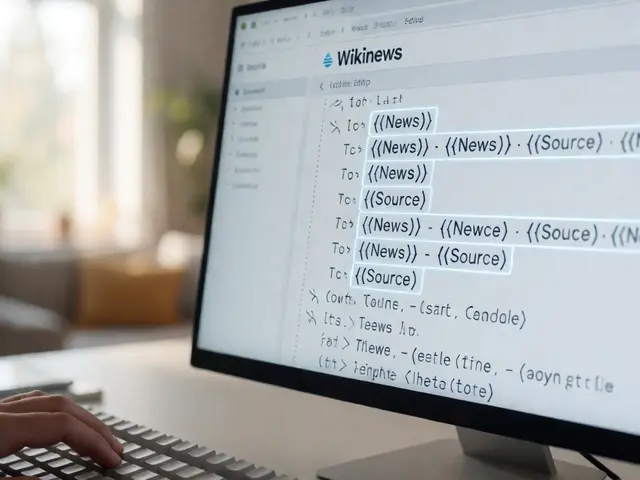
- {{Cite web}}: Use this for any webpage, including news articles, blogs, and official reports. It automatically handles titles, access dates, and URLs.
- {{Cite book}}: Perfect for printed books. It requires the author, title, publisher, and year.
- {{Cite journal}}: For academic papers. This template asks for volume, issue, pages, and DOI if available.
- {{Cite press release}}: Specifically for corporate announcements. It helps distinguish official statements from third-party coverage.
When you insert a template, fill in only the fields you have. Do not leave empty parameters like |author= if there is no author; just omit the line. This keeps the output clean.
Step-by-Step: Adding a Reliable Source
Let us walk through adding a citation to a paragraph about climate change. First, highlight the specific sentence you want to support. Click the "Cite" button in the toolbar above the edit box. Choose "Cite web" if your source is an online article. The template appears in your edit window. Now, copy the URL from your browser and paste it into the |url= field. Next, copy the article title and paste it into |title=. Add the author’s name if listed. Finally, add the access date using today’s date format (e.g., August 16, 2026). Preview your changes to see how it looks. If it reads naturally, save the edit.
Always include the access date for web sources. Webpages change, so the access date tells readers when the information was current. This is a small detail that shows attention to accuracy.
Common Mistakes That Get Citations Removed
Even experienced editors make errors. Here are the top three pitfalls to avoid:
- Using non-reliable sources: A personal blog post rarely qualifies as a reliable source unless the author is an expert in the field. Stick to newspapers, journals, and official government sites.
- Missing DOIs for academic papers: If a paper has a DOI, always include it. It is more stable than a URL and ensures the link never breaks.
- Vague descriptions: Writing "See here" instead of using a proper template makes verification difficult. Always use the structured templates provided.
If you catch yourself using a source that feels shaky, double-check it against Wikipedia’s criteria for reliable sources. When in doubt, ask another editor on the talk page before saving.
Comparison of Citation Templates
| Template | Best For | Key Fields Required | Stability Level |
|---|---|---|---|
| {{Cite web}} | Newspapers, blogs, websites | URL, Title, Access Date | Medium (webpages change) |
| {{Cite book}} | Printed books | Author, Title, Publisher, Year | High (print is static) |
| {{Cite journal}} | Academic papers | DOI, Author, Journal Name, Volume | Very High (DOIs are permanent) |
| {{Cite press release}} | Corporate announcements | Company, Title, Date | Medium (can be updated) |
Pro Tips for Efficient Editing
Speed matters when you are editing multiple sections. Learn keyboard shortcuts for inserting templates. Most browsers allow you to search for templates directly in the edit box by typing {{cite and then selecting the correct option from the dropdown. Also, use the "References" section at the bottom of the article to group all citations together. This keeps the main text uncluttered. If you are working on a large article, consider using the VisualEditor to drag and drop citations, which reduces syntax errors.
Another tip: keep your edit summaries descriptive. Instead of writing "fixed refs," write "Added DOI to Smith 2023 journal article." This helps other editors understand your intent and reduces the chance of conflict.
Frequently Asked Questions
What is the best way to cite a YouTube video?
Use the {{Cite web}} template. Include the channel name as the author, the video title, and the URL. Add the access date. Note that videos are less stable than text, so only use them if the content is unique and verifiable.
Do I need to include the access date for every web source?
Yes, for dynamic webpages like news articles or blogs, always include the access date. For static pages like official government documents that rarely change, it is optional but still recommended for clarity.
How do I handle sources without authors?
If a source has no individual author, use the organization name in the author field. For example, if the U.S. Census Bureau publishes a report, put "U.S. Census Bureau" as the author. If there is no organization either, leave the field blank.
What should I do if a cited link is dead?
First, try finding an archived version via the Internet Archive. If found, update the URL to the archive link and add the access date. If no archive exists, look for an alternative reliable source. If none is available, discuss removal on the talk page.
Can I cite my own website on Wikipedia?
Generally, no. Self-published sources are considered low reliability unless the site is widely recognized as an authoritative industry standard. It is safer to cite third-party coverage of your work instead.