Ever tried editing a Wikipedia page only to get blocked by a message saying "This page is protected"? It’s not a glitch. It’s a safety feature. Wikipedia uses different levels of page protection to stop vandalism, edit wars, and misinformation - especially on high-traffic or controversial articles. But not all protections are the same. Choosing the right one matters. Too little, and the page gets wrecked. Too much, and good-faith editors can’t help fix it.
What Page Protection Actually Does
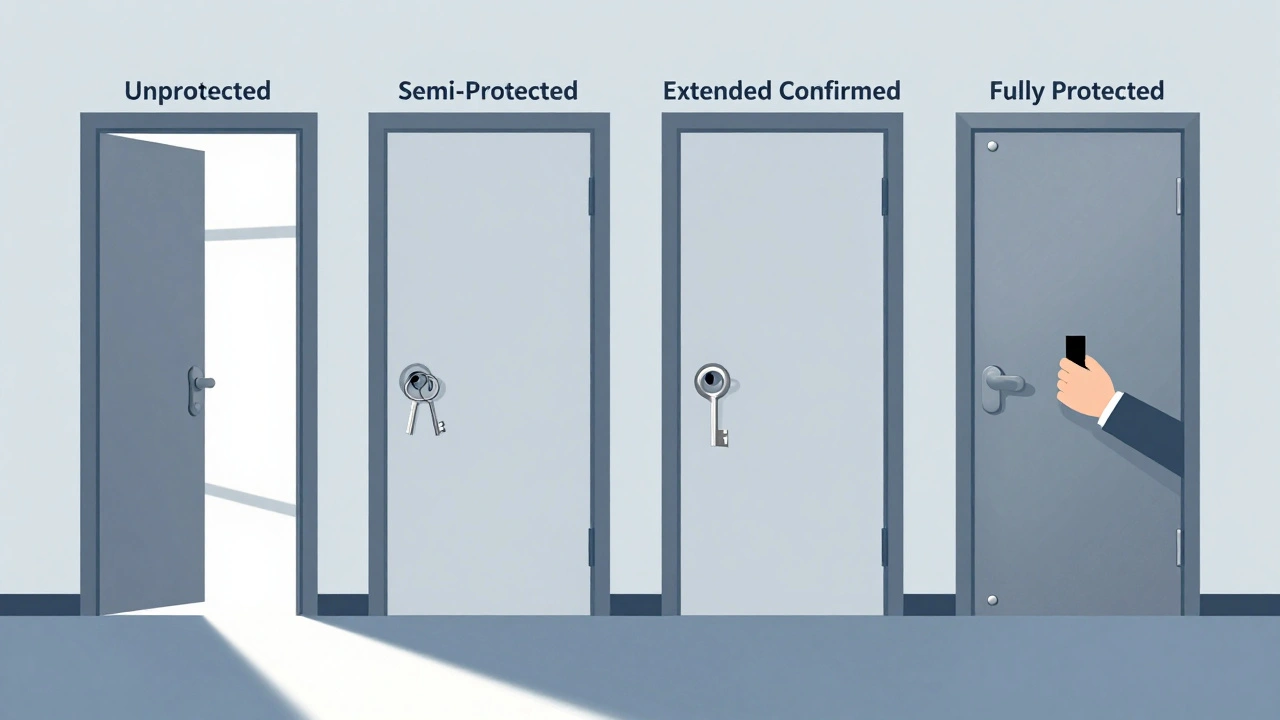
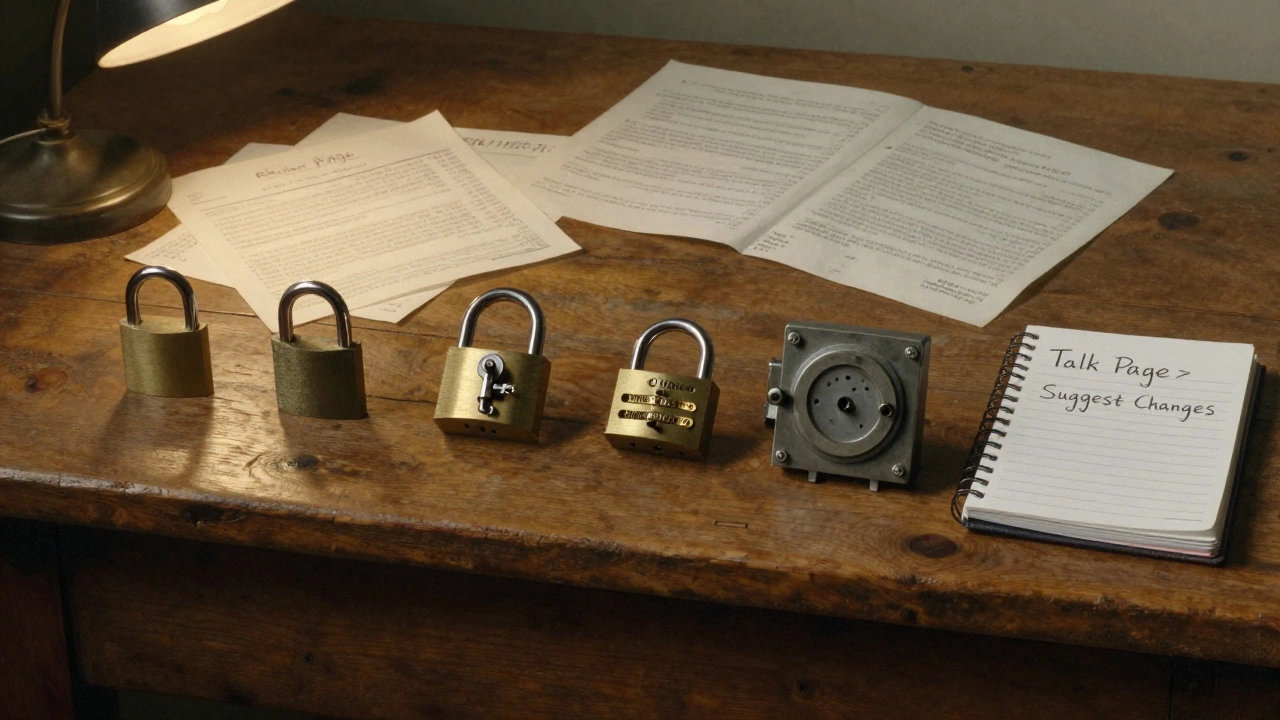
Page protection on Wikipedia doesn’t mean a page is frozen forever. It just limits who can edit it. Think of it like a door with different locks. Some doors let anyone in. Others only open for keyholders. Wikipedia uses four main protection levels: unprotected, semi-protected, extended confirmed protected, and fully protected. Each one serves a different purpose based on the page’s risk level.
Unprotected pages are open to everyone - registered users and anonymous visitors alike. These are the majority of Wikipedia articles. But when a page starts getting hit with spam, false claims, or repeated reversions, admins step in. That’s when protection kicks in.
Semi-Protected: The Most Common Level
If you’ve ever been blocked from editing a Wikipedia page because you’re not logged in, you’ve hit semi-protection. This is the most widely used protection level. It only allows edits from autoconfirmed users - people who have had an account for at least four days and have made at least ten edits.
Why this threshold? It’s not about trust. It’s about reducing bot spam and sockpuppet accounts. Vandalism often comes from fresh, anonymous accounts. By requiring a little history, semi-protection blocks the bulk of automated attacks without stopping real contributors.
Articles about living people, current events, or trending topics like elections, celebrity deaths, or major disasters often get semi-protected. For example, the page for the 2025 U.S. presidential election was semi-protected for six months before the vote. That gave time for stable, verified edits to settle in.
Extended Confirmed Protection: For High-Risk Topics
Some pages don’t just attract vandals - they attract organized edit wars. That’s where extended confirmed protection comes in. This level restricts editing to users who have been autoconfirmed for at least 30 days and have made at least 500 edits.
It’s rare. Only about 1% of protected pages use this level. But it’s critical for topics that draw repeat offenders: political figures with polarizing views, religious doctrines, or historically disputed events. The article on the 2024 U.S. Supreme Court rulings was extended confirmed protected for nine months after over 200 edit conflicts in a single week.
This isn’t about censorship. It’s about giving space to experienced editors who understand Wikipedia’s policies - not just who can type the fastest.
Fully Protected: Only for Admins
Fully protected pages are locked down tight. Only administrators can edit them. This isn’t a punishment. It’s a last resort. You’ll see this on pages that are either:
- Extremely high-traffic and constantly vandalized (like the main page of Wikipedia)
- Used as templates or system pages (like Template:Infobox person)
- Undergoing major structural changes that require careful coordination
For example, the Wikipedia main page - viewed over 10 million times daily - is fully protected. If a single anonymous user could change it, the entire site’s credibility would suffer. Same with core templates. A typo in a template used on 500,000 articles? That’s a global disaster.
Fully protected pages can still be edited - just not by regular users. Anyone can suggest changes on the talk page. Admins review those suggestions and apply them if they meet policy.
Protection Duration: Temporary or Permanent?
Most protections aren’t forever. Wikipedia uses a mix of temporary and indefinite locks.
Temporary protections usually last 1 day, 3 days, 1 week, 2 weeks, 1 month, 3 months, 6 months, or 1 year. The length depends on the severity and history of disruption. A page hit by one viral hoax might get 48 hours. A page that’s been under siege for months? Six months or longer.
Indefinite protection means no expiration date. It’s rare, and usually reserved for:
- Pages that are permanently controversial (like Adolf Hitler)
- Core system pages
- Pages that have been protected repeatedly over years
Even indefinite protections can be reviewed. Any user can request a protection review on the talk page. If vandalism has stopped and the article is stable, protection can be lifted.
How to Request Protection
You don’t need to be an admin to ask for protection. If you notice a page being repeatedly vandalized or caught in edit wars, you can request it.
Go to the article’s talk page. Add a section titled "Protection request". Explain:
- What kind of disruption you’ve seen (vandalism, false claims, edit wars)
- How often it’s happening
- What level you think is appropriate (semi, extended confirmed, or full)
- Any relevant links to edit histories
Admins check these requests daily. They look at the edit history, check for patterns, and sometimes even consult with other editors. A well-documented request gets action fast. A vague one? It gets ignored.
What Protection Doesn’t Do
Many people think protection means the content is "correct" or "official." It doesn’t. Protection only stops edits. It doesn’t guarantee truth.
A semi-protected page about climate change might still contain outdated stats. A fully protected template might have a broken link. Protection is about access, not accuracy.
That’s why talk pages matter. Even on protected pages, discussion is open. That’s where improvements happen. If you see an error, leave a note. Someone will see it.
When Protection Fails
Protection isn’t magic. Sometimes it’s applied too late. Sometimes it’s applied too hard.
One common mistake? Protecting a page too early. A new article about a local politician got fully protected after one edit war. But the real issue? A lack of sourcing. The solution wasn’t locking it - it was adding citations and improving the content.
Another? Forgetting to set an expiration. A page protected for six months because of a news event ended up stuck in protection for two years because no one remembered to review it.
The best protections are thoughtful, temporary, and tied to real behavior - not fear.
What You Can Do as a Regular Editor
You don’t need admin rights to help. Here’s how:
- Use the Watchlist to track pages you care about
- Check the edit history for patterns of vandalism
- Use the rollback tool to undo bad edits quickly
- Leave clear, polite comments on talk pages
- Submit a protection request if you see repeated problems
Wikipedia works because editors help each other - not because someone locks everything down.
Final Thought: Protection Is a Tool, Not a Solution
Page protection isn’t about control. It’s about giving space for good editing to happen. The best Wikipedia pages aren’t the ones with the most locks - they’re the ones with the most thoughtful, well-sourced, and collaborative editing.
Choosing the right protection level means understanding the problem, not just reacting to it. A little protection goes a long way. Too much? It just stops progress.
Can anyone request page protection on Wikipedia?
Yes. Any registered user can request protection by posting a clear, detailed request on the article’s talk page. You need to explain the problem, show evidence (like links to edit history), and suggest the appropriate protection level. Admins review these requests and act based on policy, not personal opinion.
Does page protection mean the content is verified or true?
No. Protection only restricts who can edit - it doesn’t verify accuracy. A protected page can still contain errors, outdated info, or biased wording. That’s why talk pages are critical. Improvements happen through discussion, not locks.
How long does page protection usually last?
Most protections are temporary: 1 day, 1 week, 1 month, 3 months, 6 months, or 1 year. The duration depends on how severe and frequent the disruption was. Indefinite protection is rare and only used for pages with a long history of abuse or core system pages.
Can I edit a protected page if I’m an admin?
Yes, administrators can edit fully protected pages. But even admins are expected to justify edits on the talk page, especially if they’re changing core content. The goal is transparency, not power.
What’s the difference between semi-protection and extended confirmed protection?
Semi-protection allows edits from users who’ve been registered for at least four days and made ten edits. Extended confirmed protection is stricter: users must have been registered for at least 30 days and made at least 500 edits. Extended confirmed is used for pages with persistent, organized disruption, not just random vandalism.