Huggle workflow: How Wikipedia editors use automation to fight vandalism
When you edit Wikipedia, you’re part of a system that gets millions of changes every day—and most of them are harmless. But some aren’t. That’s where the Huggle workflow, a real-time vandalism detection and rollback tool used by experienced Wikipedia editors to quickly undo malicious edits. Also known as Huggle, it helps volunteers respond to spam, trolling, and hoax edits in seconds, not hours. Without tools like this, Wikipedia would drown in noise. The Huggle workflow isn’t just software—it’s a coordinated process that links fast editing, community trust, and automated alerts to keep the encyclopedia clean.
It works by pulling live data from Wikipedia’s recent changes feed. When someone adds nonsense like "Barack Obama is a lizard person" or fills an article with random symbols, Huggle flags it instantly. Editors using the tool get a pop-up with the edit, a diff view, and a one-click button to revert it. Many also use it to warn the vandal with a pre-written message. This isn’t magic—it’s built on rules editors agree on: what counts as vandalism, how fast to act, and when to escalate. The workflow depends on people, not just bots. Tools like Wikipedia bots, automated scripts that handle repetitive tasks like fixing broken links or reverting obvious vandalism feed data into Huggle, while edit wars, situations where editors repeatedly undo each other’s changes, often over controversial topics trigger extra scrutiny. Huggle helps reduce those wars by catching bad edits before they spread.
It’s not for beginners. You need to be an experienced editor with a track record of good faith edits to get access. That’s by design. Huggle gives you power to undo changes instantly—and with great power comes great responsibility. The tool has filters, blocks, and logging so misuse is tracked. It’s used mostly by volunteers in North America and Europe, but its impact is global. Every time Huggle rolls back a fake edit on a medical page or a history article, it protects someone’s understanding of the world.
What you’ll find in the posts below are real stories about how tools like Huggle fit into the bigger picture of Wikipedia’s health. You’ll see how editor behavior changes during crises, how new tools are tested, and how the community fights back when bad actors try to break the system. This isn’t just about software. It’s about how a global group of volunteers keeps the world’s largest encyclopedia accurate, one quick click at a time.
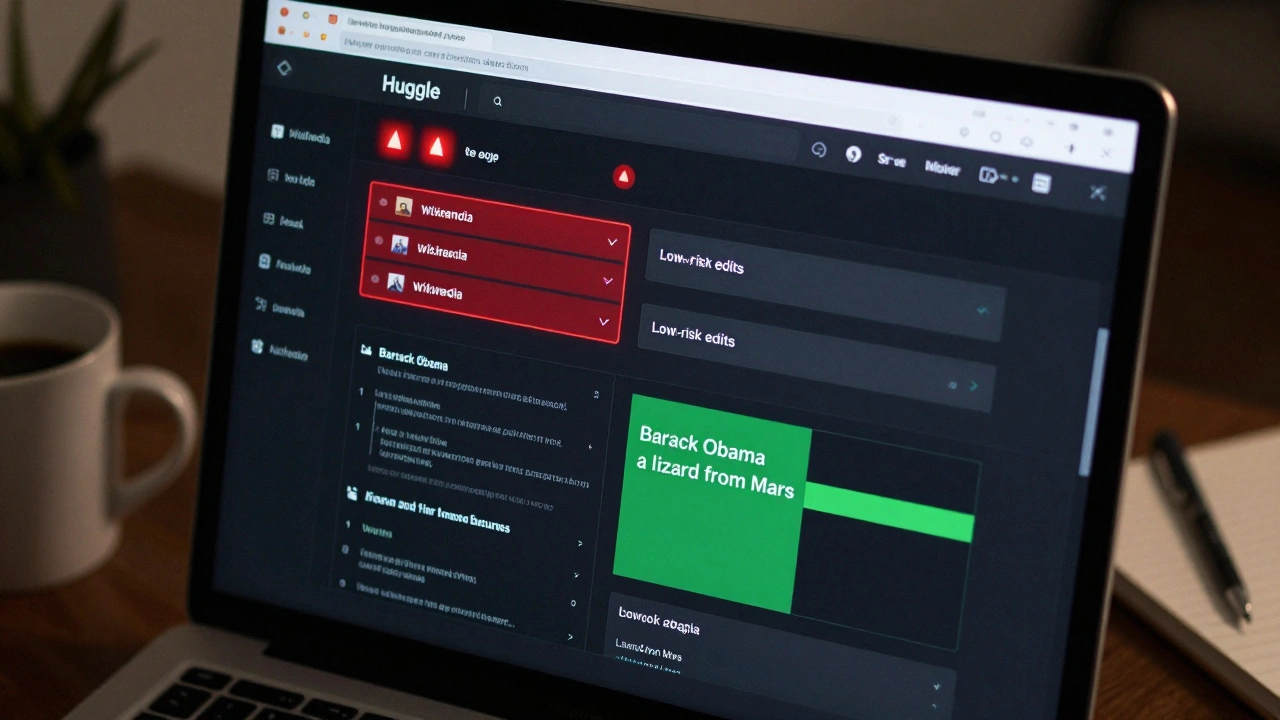
Huggle for Wikipedia: Fast Vandalism Reversion Workflow
Huggle is a fast, browser-based tool used by Wikipedia volunteers to quickly identify and revert vandalism. It filters out noise and highlights suspicious edits in real time, letting users revert spam and malicious changes in seconds.