Key Takeaways
- Local blocks affect a single wiki (like the English Wikipedia) and are handled by local administrators.
- Global bans are site-wide restrictions managed by the Global Rights team to stop systemic abuse.
- Restrictions vary from temporary "cooling-off" periods to permanent bans for severe policy violations.
- Appeals processes differ depending on whether the ban was local or global.
The Basics of Local Blocks
Most restrictions you'll encounter are local. A local block is a restriction applied to a user account or IP address that prevents them from editing a specific language version of Wikipedia. If you're blocked on the English Wikipedia, you can still technically edit the Spanish or French versions. Why? Because each language community is essentially its own city-state with its own set of local administrators.
These blocks usually happen when someone breaks a rule like "Edit Warring," where two people keep undoing each other's changes in a loop. A local admin might step in and give a user a 24-hour block. It's less about punishment and more about hitting a pause button so everyone can calm down and look at the talk page to figure out a compromise. In some cases, a block might be "topic-based," meaning you can edit anything except a specific page-say, a controversial political figure-because you keep adding unsourced claims.
When Things Go Global
Now, some behavior is too destructive for a local block to handle. If a user creates 50 accounts to spam a specific company's page across ten different languages, that's a systemic attack. This is where the Global Ban comes in. A global ban is a high-level restriction that prevents a user from editing any site within the entire Wikimedia ecosystem.
Unlike local blocks, these aren't handled by the volunteers you see in the daily edit logs. They are managed by the Global Rights team and, in extreme cases, the Wikimedia Foundation. This is the "nuclear option." It's typically reserved for things like extreme harassment, large-scale vandalism, or coordinated bot attacks that threaten the site's technical stability. If you're globally banned, your user identity is essentially exiled from the entire network, including sister projects like Wiktionary or Wikisource.
| Feature | Local Block | Global Ban |
|---|---|---|
| Scope | Single language wiki | All Wikimedia projects |
| Who implements it? | Local Administrators | Global Rights / WMF |
| Common Cause | Edit warring, minor policy breaches | Spam, systemic abuse, harassment |
| Appeal Process | Local block appeal page | Global ban appeal system |
The Procedure: How a Block Actually Happens
It rarely starts with a ban. Usually, it's a progression. First, a user gets a warning on their talk page. Then, they might get a template like "Warning: Please cite your sources." If the user ignores these and keeps pushing the same problematic edits, an admin will apply a block.
The procedure for a local block is fast: the admin selects the account, chooses the duration (e.g., 1 hour, 1 day, 1 week, or indefinite), and writes a reason. This reason is public and stays on the block log. For global bans, the process is more rigorous. There's usually a report filed to the Oversight or Global Ban team. They review the logs across multiple languages to see if the user is a "repeat offender" across the network. They look for patterns-like the same IP address using different usernames to bypass local blocks-which is a major red flag known as Ban Evasion.
Dealing with Ban Evasion
One of the biggest headaches for the community is ban evasion. This happens when a user, after being blocked, simply creates a new account to keep editing. This isn't just a breach of rules; it's seen as a direct challenge to the community's governance. When an admin catches someone doing this, they don't just block the new account-they often extend the original ban. If the evasion is persistent, it's the fastest way to get escalated from a local block to a global ban.
How do they catch them? It's not just about the username. Admins use tools to check for similar editing patterns, specific phrasing, or shared IP ranges. While they can't always see exactly who you are, the behavioral "fingerprint" is often enough to prove the same person is behind both accounts.
The Path to Redemption: Appeals
The internet is a place where people grow up and change their minds, and Wikipedia recognizes that. Not every block is meant to be forever. For local blocks, there is usually a dedicated "Request Unblock" page. The key to a successful appeal isn't arguing that the admin was wrong; it's demonstrating that you understand the rule you broke and explaining how you'll change your behavior. A request that says "I'm sorry, I didn't realize I couldn't add my personal blog as a source; I'll use academic citations from now on" is far more likely to work than one that says "This is unfair and biased."
Global appeals are harder. You have to go through a more formal process with the Wikimedia Foundation. Because the damage done by global-level offenders is usually much higher, the burden of proof is on the user to show they are no longer a risk to the project. This often involves a long period of silence before the appeal is even considered.
Common Pitfalls for New Editors
Most people get blocked not because they are malicious, but because they don't understand the culture. For example, many new users treat Wikipedia like a social media platform where they can share their opinion. In reality, it's a tertiary source. If you write "The movie was terrible" instead of "Three critics gave the movie a negative review," you're violating the Neutral Point of View (NPOV) policy. Doing this repeatedly, even with good intentions, can lead to a block.
Another common mistake is "promotional editing." If you're an employee of a company and you try to polish your company's page, you're entering a Conflict of Interest (COI). The best way to avoid a block here is to disclose your relationship on your user page and suggest changes on the talk page rather than editing the article directly.
Can I be blocked if I don't have an account?
Yes. IP blocks are common. If a specific IP address is being used to vandalize pages, the admin can block that IP. This means anyone else using that same IP-like people in a coffee shop or a university library-might also be blocked. In those cases, the best solution is to create an account, which usually bypasses IP-level blocks.
What is the difference between a block and a ban?
In common conversation, people use them interchangeably. However, technically, a "block" is often a tool used for a specific duration to stop a behavior, while a "ban" (especially an indefinite one) is a more permanent decision about a user's suitability to participate in the community.
How do I know if I'm globally banned?
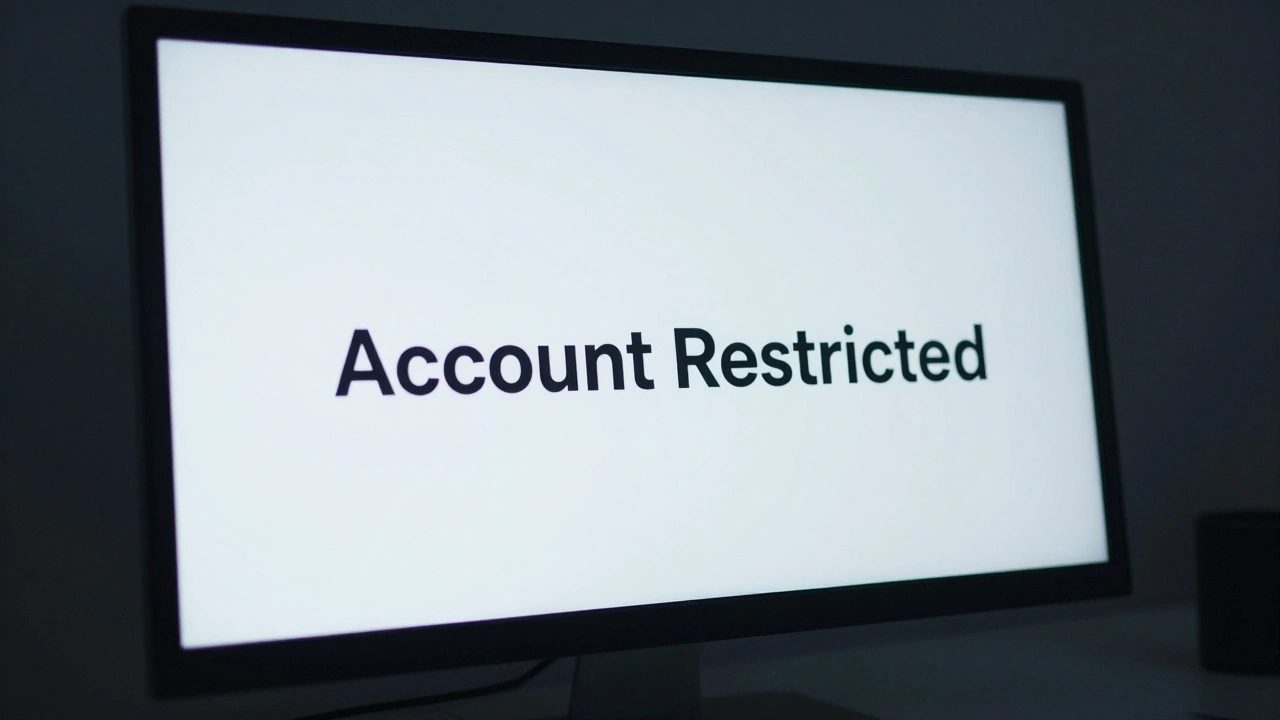
If you find that you cannot edit any Wikimedia project (Wikipedia, Wiktionary, etc.) regardless of the language, and you see a message mentioning a global block when you try to save an edit, you have likely been globally banned.
Can an admin block me just because they don't like my opinion?
They shouldn't. Blocks must be based on policy violations, not personal disagreements. If you feel a block is "abuse of administrative tools," you can report the admin to the community via the local admin noticeboard or the Arbitration Committee.
Does a block stay on my record forever?
The block log is public and permanent. Even if you are unblocked, the history of your previous blocks remains visible. However, as long as you follow the rules afterward, these old blocks rarely affect your ability to gain more permissions in the future.
Next Steps for Restricted Users
If you've just been blocked, the worst thing you can do is panic and create a new account. That's an immediate ticket to a longer block or a global ban. Instead, take these steps:
- Read the block reason: It's usually displayed in a red bar at the top of the page.
- Review the policy: Look up the specific rule mentioned (e.g., "Vandalism" or "Biographies of Living Persons").
- Wait: If it's a 24-hour block, just wait it out. Most admins appreciate it when a user takes a break to reflect.
- Appeal calmly: If the block is indefinite or you believe it's a mistake, use the official appeal channel. Be humble, be specific about what you'll change, and avoid blaming others.