Imagine waking up to find the lead sentence of a major political figure’s biography changed to say they “resigned in disgrace” or that a celebrity “died yesterday.” This isn’t fiction; it is a common reality for editors managing high-profile articles during volatile moments. When breaking news hits, the stakes on Wikipedia rise sharply. The platform becomes a battleground between accurate reporting and opportunistic editing. For volunteers and administrators, the challenge shifts from routine maintenance to crisis management. You need tools that stop bad edits fast without freezing out good ones.
The core problem is speed versus stability. News moves in seconds, but verification takes time. A page about a live event attracts thousands of views per minute. Each view increases the chance that someone-whether a troll, a fan, or a confused editor-makes an error. If you wait for consensus, the damage spreads. If you lock the page too early, you block legitimate updates. Balancing these forces requires a specific set of strategies used by experienced editors at the Wikimedia Foundation, which governs the policies behind these protections.
Understanding the Risk Landscape
Not all pages are created equal when it comes to risk. An article about a local park rarely sees malicious edits. But a page about a current head of state, a trending movie premiere, or a natural disaster is a different story. These "high-profile" pages have three distinct risks: factual errors, promotional bias, and outright vandalism. Factual errors happen when editors rush to add unverified details. Promotional bias occurs when fans try to make their favorite subject look better than the facts allow. Vandalism is the most obvious threat, ranging from silly jokes to coordinated attacks.
You must identify which type of risk you are facing before applying a solution. If the issue is factual, locking the page might not help because the "correct" version changes every hour. If the issue is vandalism, a temporary lock is usually the best move. Recognizing this difference saves hours of discussion. It also helps you choose the right tool from your moderator’s toolkit.
The Toolkit: Protection Levels Explained
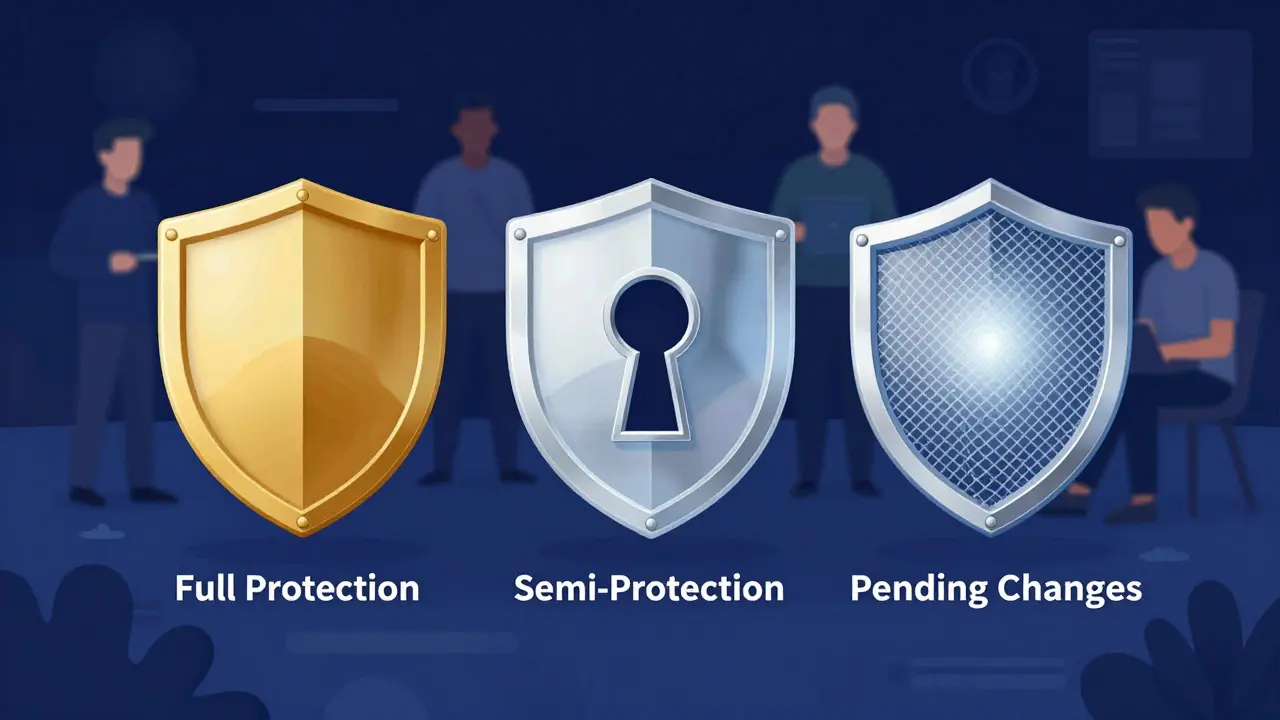
Wikipedia offers several levels of edit protection, each serving a different purpose. Understanding these tiers is essential for effective moderation. Here is how they work:
- Full Protection: Only administrators can edit the page. This is the nuclear option. Use it when vandalism is rampant or when a dispute is heating up so much that normal editing has stopped.
- Semi-Protection: Registered users with accounts older than four days can edit. New accounts and anonymous users (IP addresses) are blocked. This stops most drive-by vandals while allowing experienced editors to keep the page updated.
- Pending Changes: Edits from new or anonymous users are hidden until a reviewer approves them. This allows the public to contribute without risking immediate visibility of errors. It is less intrusive than full protection but slower.
- Template Protection: Used for infoboxes or sidebars. It prevents changes to structured data like dates or images without stopping text edits.
Choosing the right level is an art. Full protection is heavy-handed. Semi-protection is the standard first response to breaking news. Pending changes are great for long-term stability but can slow down urgent corrections. Most successful moderators start with semi-protection and escalate only if necessary.
| Protection Level | Who Can Edit? | Best Use Case | Impact on Speed |
|---|---|---|---|
| Full Protection | Administrators only | Severe vandalism, heated disputes | Very Slow (requires admin action) |
| Semi-Protection | Registered users (4+ days old) | Breaking news, initial vandalism spikes | Moderate (experienced editors still active) |
| Pending Changes | All users (edits reviewed) | Long-term stability, low-level noise | Slow for new contributors |
| No Protection | Everyone | Stable topics, no recent controversy | Fastest |
Step-by-Step Response to Breaking News
When the news breaks, you don't have time to read a manual. You need a workflow. Here is a practical sequence that many veteran editors follow to stabilize a page within the first hour.
- Monitor Traffic and Recent Changes: Check the "Recent Changes" feed filtered for the specific article. Look for patterns. Are multiple IP addresses making similar edits? Is one user reverting everything?
- Apply Semi-Protection: If you see repeated vandalism or conflicting edits, apply semi-protection immediately. This cuts off the majority of casual troublemakers. Do this before starting a debate.
- Verify Sources Quickly: Jump to reliable sources. Major news outlets, official statements, and wire services are your friends. Avoid blogs and social media unless they are primary sources for very fresh events.
- Update the Lead Section: Ensure the summary reflects the current state of affairs. Keep it neutral. If the situation is fluid, use phrases like "as of [date]" to indicate the information is time-sensitive.
- Communicate on the Talk Page: Leave a clear note explaining why protection was applied. Invite other editors to discuss the next steps. Transparency reduces friction.
- Reassess After 24 Hours: If the news cycle slows down and the page stabilizes, consider removing protection. If it remains volatile, extend the protection period.
This process keeps the page accurate without shutting out the community. It relies on quick decisions rather than perfect ones. In breaking news, a slightly imperfect but stable page is better than a chaotic but open one.
The Role of Community Consensus
Tools are only half the battle. The other half is people. Wikipedia runs on volunteer consensus. Even if you have admin rights, acting alone can create resentment. The goal is to get the community to agree that protection is needed.
How do you build that agreement quickly? Start with evidence. Post links to the problematic edits. Show the pattern. Ask questions instead of giving orders. "Has anyone else noticed the repeated reverts on the timeline section?" invites collaboration. "I am locking this page" sounds authoritarian.
Also, remember that not all disagreement is bad. Sometimes two editors disagree on how to phrase a sentence. That is normal editorial conflict, not vandalism. Don't protect against valid debate. Reserve protection for edits that lack sources, are obviously biased, or disrupt the reading experience. Distinguishing between a strong opinion and a disruptive edit is a skill that comes with experience.
Common Pitfalls to Avoid
Even experienced moderators make mistakes. Knowing what goes wrong helps you avoid it. Here are the most frequent errors seen during high-stress editing sessions:
- Over-Protecting: Locking a page for weeks after the news has cooled. This stifles legitimate improvements. Always set an expiration date for protection.
- Ignoring the Talk Page: Applying protection without explanation. Editors assume the worst when they can't edit. A simple note saying "Semi-protected due to recent vandalism, please discuss here" goes a long way.
- Relying on Unreliable Sources: Adding details from Twitter or Facebook before they appear in major news outlets. This leads to reverts and confusion. Wait for the wire service.
- Forgetting Mobile Users: Many readers access Wikipedia on phones. Ensure the layout works well on small screens, especially if you are adding complex tables or timelines.
- Burning Out: Breaking news is exhausting. Rotate duties with other admins. Don't try to be the sole guardian of the page for days on end.
Avoiding these pitfalls ensures that your intervention is seen as helpful, not hindering. The community respects moderators who act decisively but fairly.

Case Study: Managing a Sudden Political Event
Consider a hypothetical scenario where a national election results in a close race, leading to legal challenges and protests. The Wikipedia page for the candidate becomes a hotspot. Within minutes, hundreds of edits appear. Some add verified vote counts. Others change the tone of the biography to reflect partisan feelings. A few insert unsourced claims about misconduct.
In this scenario, a moderator notices the spike in edits. They check the source quality. Most edits cite reputable news agencies. However, a subset of edits uses blog posts and social media screenshots. The moderator applies semi-protection. This stops the anonymous users from adding the unsourced claims. Registered experts continue to update the vote tallies as official numbers come in. The talk page becomes a hub for discussing how to phrase the "Legal Challenges" section neutrally. After 48 hours, as the legal process settles and the narrative stabilizes, the moderator removes the protection. The page is now accurate, sourced, and stable.
This example shows that protection is a temporary bridge. It holds the structure together while the content solidifies. Once the foundation is laid, you remove the scaffolding.
Preparing for the Next Crisis
Preparation makes all the difference. Before the next breaking news event hits, take a few proactive steps. Identify the top 50 high-profile pages in your area of interest. Check their current protection status. Note any ongoing disputes. Build a list of trusted editors who are active during late-night hours. Create a template message for the talk page that explains common protection reasons. These small preparations save critical minutes when the pressure is on.
Also, stay informed about platform changes. The Wikimedia Foundation regularly updates its software and policies. New features, such as improved revision history filters or automated vandalism detection bots, can enhance your workflow. Keeping up with these changes ensures you are using the most effective tools available.
Ultimately, protecting high-profile pages is about stewardship. You are not just guarding against bad actors; you are preserving the integrity of a global knowledge resource. Every accurate edit you facilitate adds value to millions of readers. Every piece of vandalism you stop preserves trust. It is a demanding role, but it is deeply rewarding. By combining technical skills with community empathy, you can navigate even the most turbulent news cycles with confidence.
What is the difference between full protection and semi-protection on Wikipedia?
Full protection restricts editing to administrators only, meaning regular users cannot make changes. Semi-protection allows registered users with accounts older than four days to edit, blocking only new accounts and anonymous users. Semi-protection is generally preferred for breaking news because it maintains community involvement while stopping casual vandalism.
How long should a Wikipedia page remain protected during breaking news?
There is no fixed rule, but most moderators aim to remove protection once the news cycle stabilizes, typically within 24 to 72 hours. If the topic remains controversial or volatile, protection may be extended, but it should always have a review date to prevent indefinite lockdowns.
Can non-administrators protect a Wikipedia page?
Generally, no. Standard edit protection requires administrator privileges. However, certain specialized roles, like those involved in pending changes reviews, can influence visibility. For most cases, you need to ask an admin to apply protection, though some communities have specific processes for requesting it.
What are the best sources to use when updating a breaking news article?
Prioritize major wire services (like AP or Reuters), established newspapers, and official government or organizational statements. Avoid social media posts, blogs, and personal websites unless they are the primary source for a very specific, unique fact. Reliability is key to preventing reverts.
How do I handle a dispute between two editors on a protected page?
Move the discussion to the talk page immediately. Encourage both parties to cite sources. If they cannot agree, present the case to the broader community or seek mediation. As a moderator, your role is to ensure the page remains readable and neutral while the dispute is resolved, not to pick a winner based on personal preference.