When a major event happens-like an election result, a natural disaster, or a sudden policy change-you want the information to be accurate and accessible immediately. On Wikipedia is a free online encyclopedia that anyone can edit, it relies on volunteers to update articles in real-time. But doing this correctly matters. If you rush in without using the right tools, your edits might get reverted, or worse, they could spread misinformation.
The secret to handling these fast-moving stories lies in two specific tools: templates are reusable blocks of code that standardize content across pages and infoboxes are summary boxes that display key facts at a glance. Using them properly ensures your contribution survives scrutiny and helps readers understand the situation quickly.
Why Structure Matters in Fast-Moving Stories
You might think that just typing out what happened is enough. It’s not. When thousands of people are watching an article during a crisis, consistency becomes safety. Without standardized structures, editors fight over formatting instead of focusing on facts. This leads to "edit wars," where changes are constantly undone by others because they don’t follow community norms.
Templates act as guardrails. They ensure that every article about similar events looks and behaves similarly. For example, if there is a template for political elections, it automatically includes fields for candidates, vote counts, and turnout percentages. By using these pre-built structures, you signal to other editors that you understand how Wikipedia works. It builds trust. Trust means fewer reverts and faster acceptance of your updates.
Infoboxes serve a different but equally critical role. Most readers scan the top right corner of an article first. The infobox gives them the headline numbers: who won, how many died, what time it started. If this box is missing or filled with errors, the entire article feels unreliable, even if the text below is perfect. Getting the infobox right is often more important than writing paragraphs of analysis.
Setting Up the Right Infobox
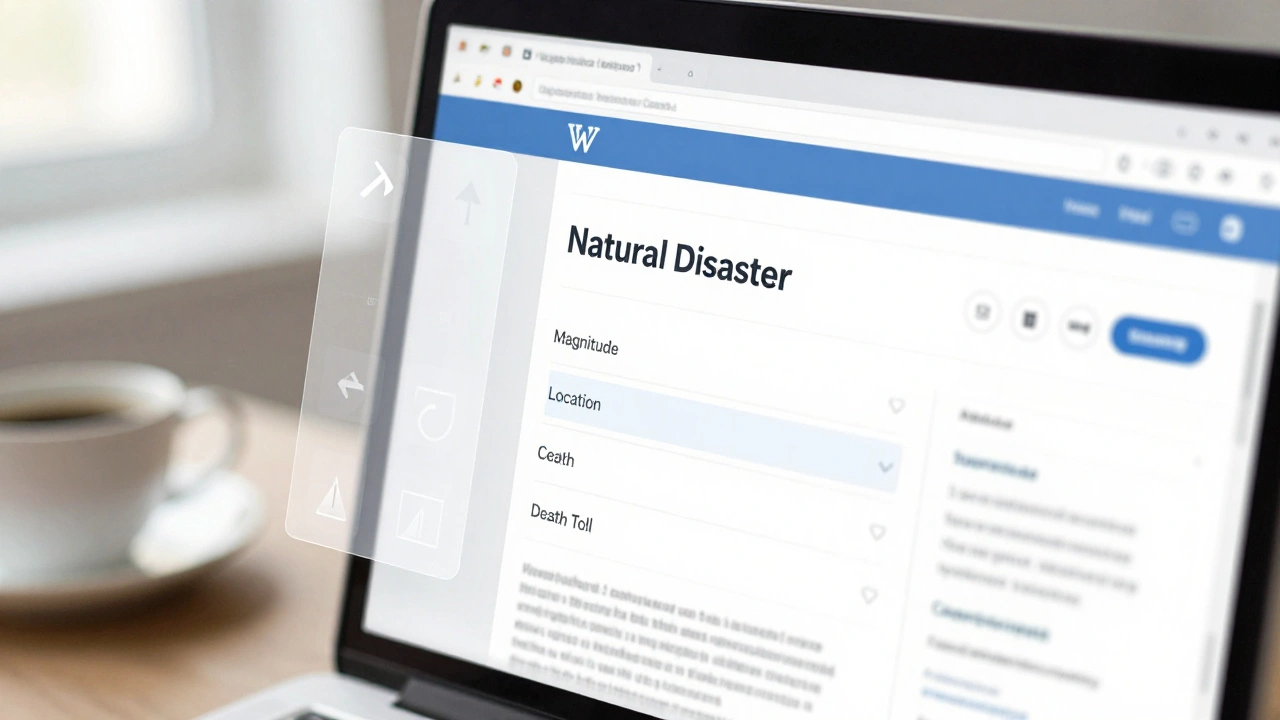
Choosing the correct infobox is step one. Wikipedia has dozens of specialized infoboxes. You wouldn’t use a "Building" infobox for a "Natural Disaster." Here is how to pick the right one:
- Elections: Use
{{Infobox election}}. This requires data on the date, type of election, and results for each candidate. - Natural Disasters: Use
{{Infobox earthquake}} or {{Infobox hurricane}}. These require magnitude, location coordinates, death tolls, and damage estimates. - Conflicts/Wars: Use
{{Infobox military conflict}}. This needs start/end dates, locations, belligerents, and casualties. - Accidents: Use
{{Infobox accident}}. Focus on date, location, fatalities, and cause.
Once you’ve picked the template, fill in the fields carefully. Do not leave blank spaces for data you don’t have yet. Instead, delete the parameter entirely or use |unknown=yes if the field is mandatory but data is pending. Never guess. If you aren’t sure of the death toll, write "Unknown" or cite the latest official report. Speculation belongs in the talk page, not the infobox.
A common mistake is adding too much detail to the infobox. Keep it brief. The infobox is for high-level stats. Detailed narratives go in the body of the article. If you try to squeeze a timeline into an infobox, it will look cluttered and likely get cleaned up by bots.
Leveraging Templates for Content Flow
While infoboxes handle the summary, templates manage the rest of the page. There are three main types of templates you’ll encounter in breaking news scenarios: navigation, maintenance, and citation.
Navigation templates help readers find related articles. If you’re editing an article about a specific fire, check if there is a larger template for "Fires in [Country]" or "Disasters in [Year]." Adding your new article to these lists ensures it gets discovered by people looking for broader context. You usually add these at the bottom of the page using syntax like {{Template Name}}.
Maintenance templates are crucial for signaling uncertainty. In breaking news, facts change hourly. You should place tags like {{Current events}} or {{More citations needed}} at the top of sections where information is fluid. This warns other editors and readers that the content is provisional. It protects you from accusations of vandalism because you’re explicitly stating that the info might shift.
Citation templates make referencing easier. Instead of manually formatting links, use {{Cite web}} or {{Cite news}}. These templates auto-format URLs, titles, and authors according to Wikipedia’s Manual of Style. This saves time and reduces formatting errors. Always include the access date for online sources, as links can break or content can change after publication.
The Role of WikiProject Breaking News
You don’t have to do this alone. WikiProject Breaking News is a collaborative group of editors who monitor and improve coverage of current events. This project coordinates efforts across multiple articles. They maintain a list of active breaking news topics and assign roles to experienced editors.
If you’re new to this, join their discussion page. They provide guidelines on which sources are acceptable during crises (usually major wire services like Reuters or AP) and which ones to avoid (social media posts, unverified blogs). They also help resolve disputes when editors disagree on how to phrase sensitive information.
Being part of this network means you’re not working in isolation. You can ask questions like, "Is this source reliable?" or "Should we merge this article with another?" before making big changes. This collaborative approach reduces stress and improves accuracy.
Common Pitfalls to Avoid
Even experienced editors make mistakes under pressure. Here are the most frequent errors when using templates and infoboxes for breaking news:
| Mistake | Why It’s Bad | How to Fix It |
|---|---|---|
| Using unsourced claims in infoboxes | Infoboxes are highly visible; false data spreads fast. | Only include data with inline citations. Leave fields blank if unsure. |
| Overloading templates with personal opinion | Violates Neutral Point of View (NPOV). | Stick to factual descriptions. Move analysis to the talk page. |
| Ignoring existing style guides | Leads to revert wars and inconsistent formatting. | Follow the Manual of Style for the specific topic (e.g., MOS:Elections). |
| Deleting maintenance tags prematurely | Removes warnings about uncertain data. | Wait until multiple reliable sources confirm the fact before removing tags. |
Another pitfall is assuming that "breaking" means "permanent." Many breaking news articles evolve into historical records within days. As the story stabilizes, remove the {{Current events}} tag and replace it with standard historical categorization. Update the infobox to reflect final figures rather than preliminary estimates.

Step-by-Step Workflow for New Editors
If you’re jumping into a breaking news article for the first time, follow this sequence:
- Check the Talk Page: See if other editors are already discussing the event. Join the conversation before making major edits.
- Identify the Correct Infobox: Look at similar past events. Copy the infobox structure from a well-written article on a comparable topic.
- Gather Reliable Sources: Find at least two independent, reputable news outlets reporting the same facts. Avoid social media.
- Fill the Infobox Carefully: Input only verified data. Use
|status=ongoingif the event is still happening. - Add Maintenance Templates: Place
{{Current events}}at the top. Add{{More citations needed}}to any section lacking sources. - Write Concise Body Text: Summarize the event neutrally. Cite every claim. Avoid adjectives like "tragic" or "heroic" unless quoting a source.
- Review Before Saving: Preview your changes. Check for broken links, missing commas, or unclear sentences.
This workflow might seem slow, but it prevents headaches later. Rushing leads to errors that take hours to fix. Taking five minutes to verify sources and choose the right template saves everyone time.
Handling Controversial or Sensitive Topics
Some breaking news involves politics, violence, or personal tragedies. In these cases, neutrality is non-negotiable. Templates help here too. Use {{Neutral point of view dispute}} if you feel the article leans too heavily toward one side. This invites other editors to review and balance the content.
For sensitive topics, avoid graphic details in the infobox. For instance, in a mass casualty event, list the total number of deaths but do not describe individual injuries. Respect victims’ privacy. Wikipedia’s policy on biographies of living persons (BLP) applies even to brief mentions in breaking news. If someone is accused of a crime but not convicted, state the allegation clearly and cite the source. Do not present it as fact.
Remember that Wikipedia is not a platform for activism. Your job is to document what happened, not to judge it. Let the sources speak for themselves. If a source says "protesters clashed with police," write exactly that. Don’t add "violent protesters" or "aggressive police" unless those words appear in the original report.
Can I create my own template for a unique event?
Generally, no. Creating custom templates for single events is discouraged unless the event is so significant that it will spawn many related articles (like a pandemic or a major war). For most breaking news, adapt an existing template. If you truly need a new one, propose it on the Template Requests page and explain why existing options don’t work.
What should I do if my edit is reverted?
Don’t panic. Reverts happen often in breaking news. Check the editor’s comment to see why they removed your change. Did you miss a citation? Was the tone biased? Go back, fix the issue, and try again. If you disagree with the revert, discuss it on the article’s talk page, not through repeated edits.
Are social media posts valid sources for infoboxes?
No. Social media posts are generally considered original research or unverifiable. Stick to established news organizations, government agencies, or official statements. Even tweets from politicians must be corroborated by secondary sources before being used in infoboxes.
How long should I keep the 'Current Events' tag?
Keep it until the story stops developing significantly. For elections, remove it once all votes are counted. For disasters, remove it when rescue operations end and final reports are published. Usually, this takes a few days to a week. If in doubt, ask on the talk page.
Can I use Wikipedia to report live updates?
No. Wikipedia is not a live blog. Only add information that has been reported by reliable sources. If something just happened five minutes ago and hasn’t been covered by news outlets yet, wait. Premature updates often lead to inaccuracies that damage credibility.